📢 What’s New:ZATCA Posting control during bulk fee settlement
We’re introducing a powerful new control for ZATCA Posting so you can manage tax posting behavior with precision based on your school’s operational needs.
🔐 1. Controlled Access to ZATCA Posting
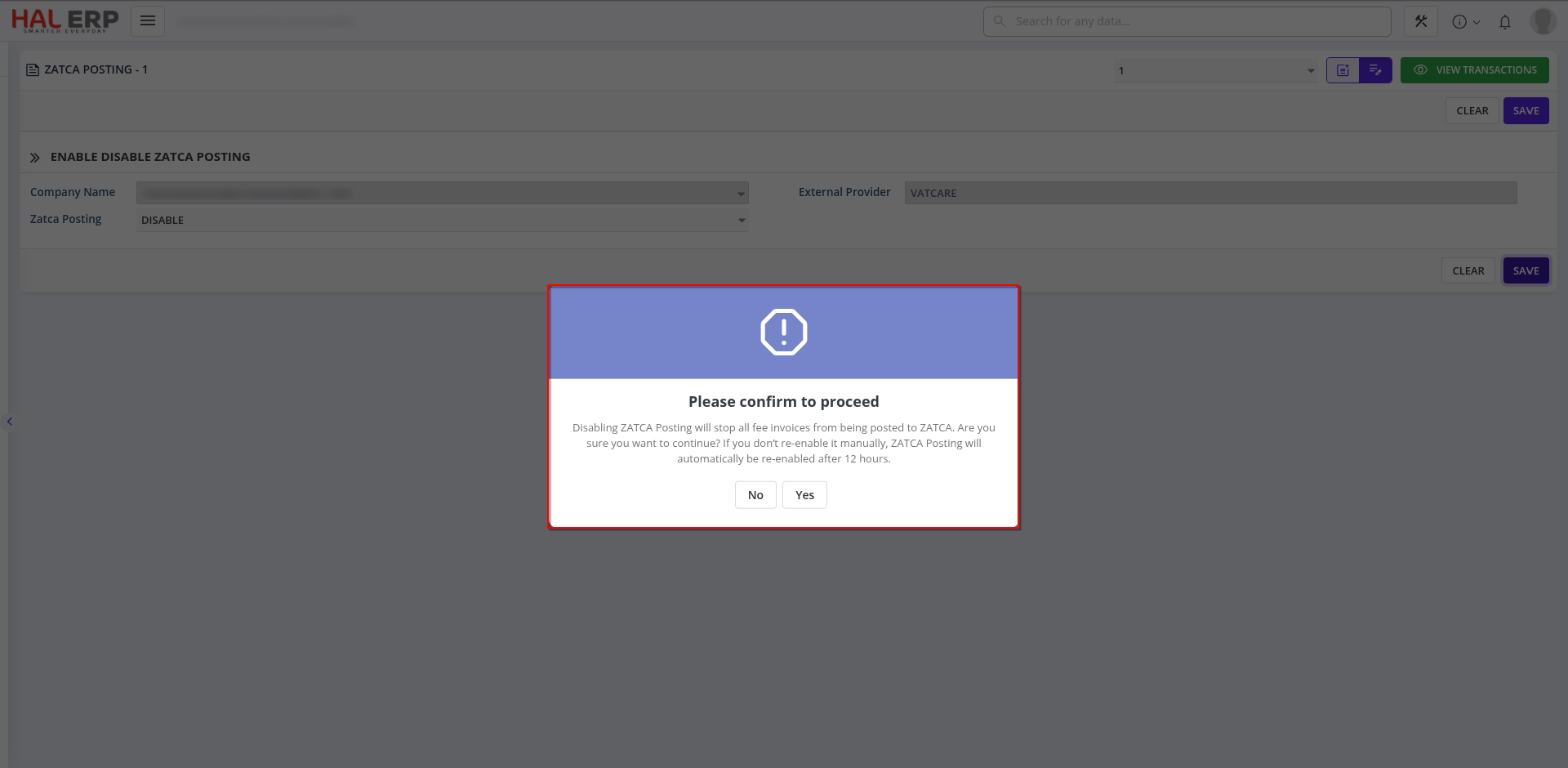
Admins can now manually enable or disable ZATCA Posting at any time — giving you full control when posting tax invoices.
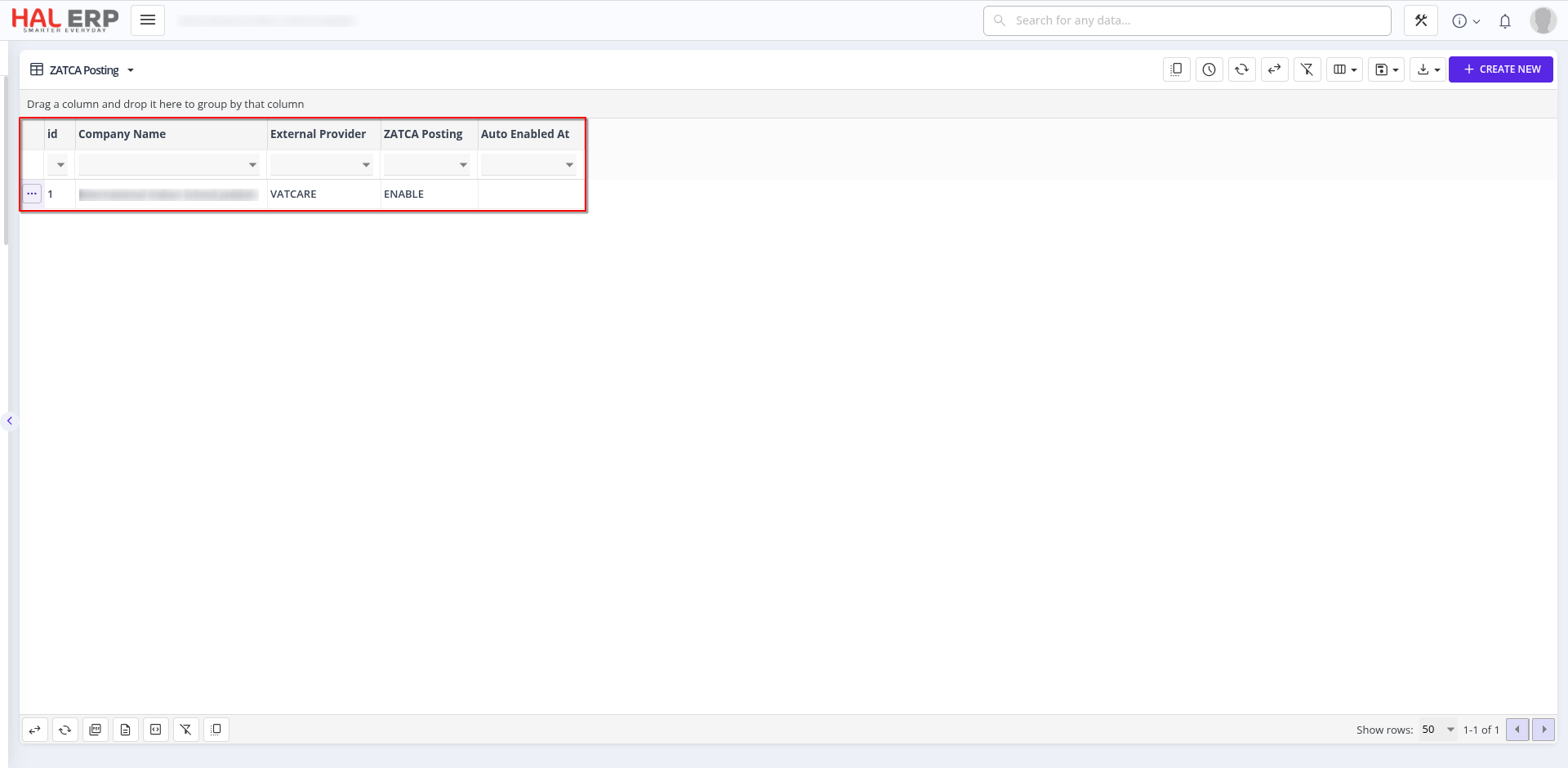
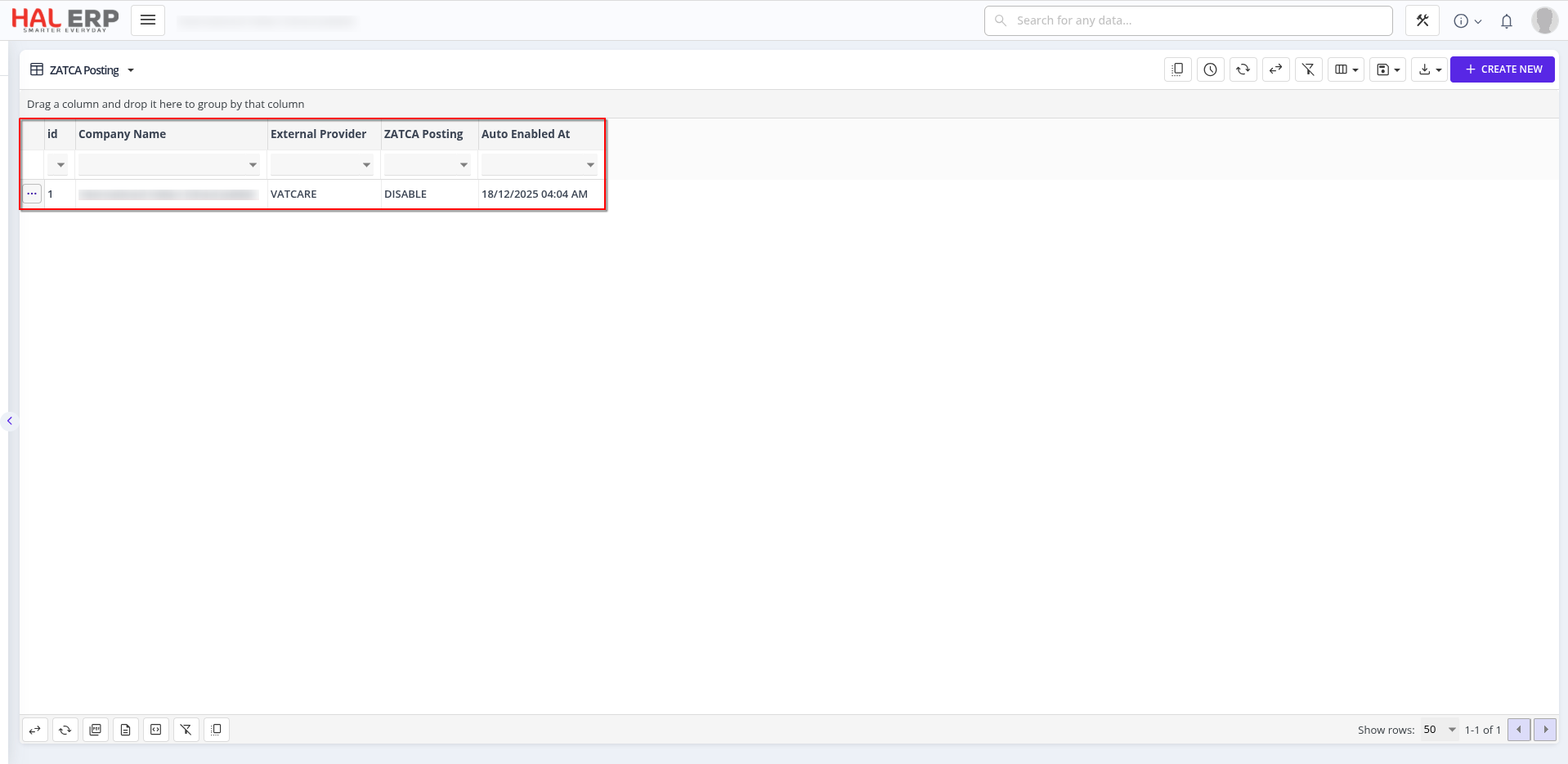
Report of Zatca Posting :
Alert During Temporary Disable of Zatca Posting Module :
🚫 2. Protection During Bulk Fee Payments
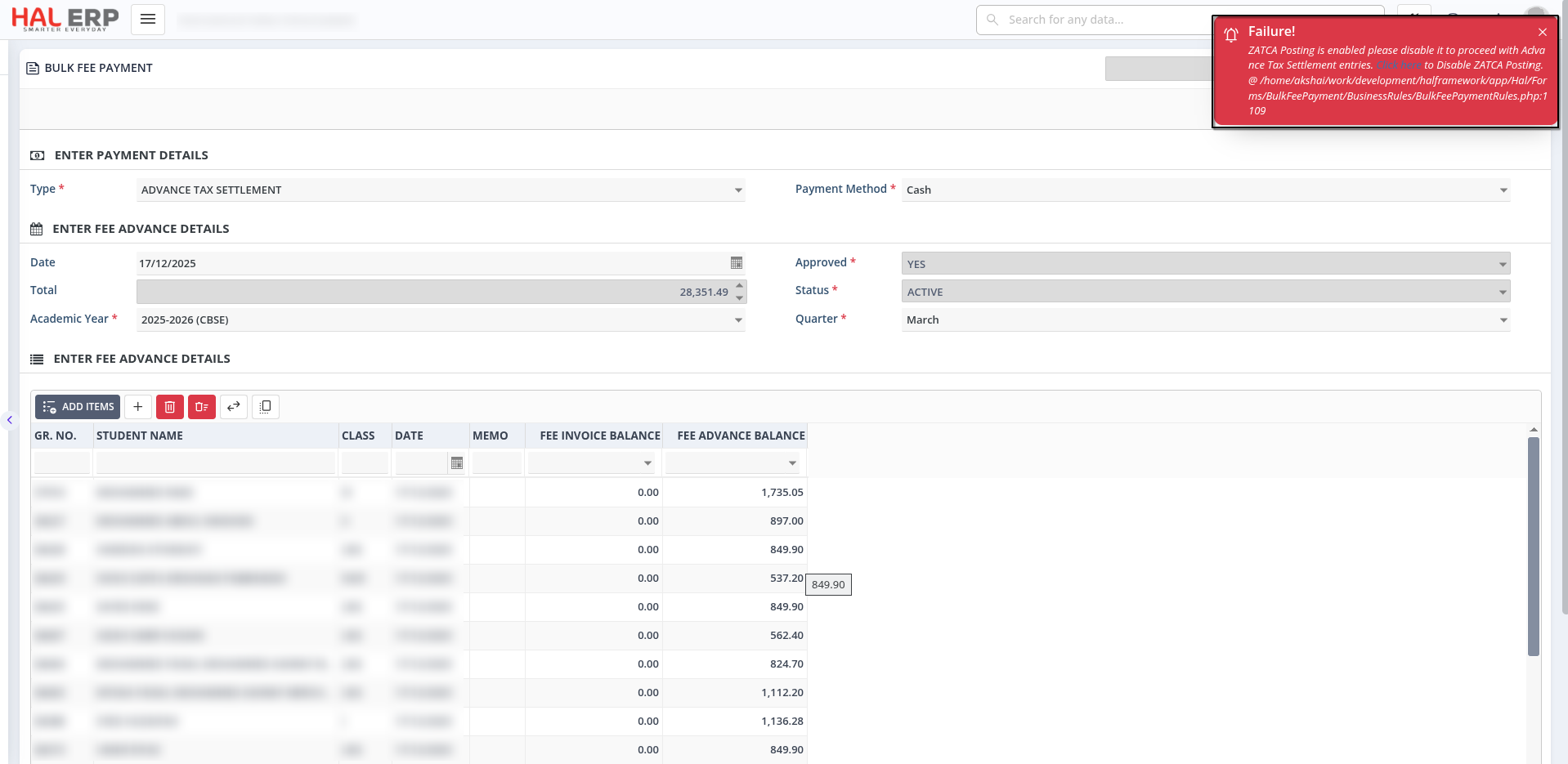
If ZATCA Posting is enabled, the system will block Bulk Fee Payments and prompt the user to first disable ZATCA Posting.
A direct link will guide users to the correct setting to make this change.
Alert During Adding a Bulk fee settlement if ZATCA posting is enabled state:
📝 3. Behavior When ZATCA Posting Is Disabled
When disabled, any invoices created (via Generate Fee Invoice or Bulk Fee Payment) will not be sent to ZATCA.
This lets you create and review invoices without triggering posting immediately.
📆 4. Supports Multiple Invoice Creation per Quarter
This flexibility is especially useful for:
-
Creating multiple invoices within a quarter
-
Handling situations where student advances aren't settled yet
-
Managing partially paid advance tax settlement invoices
Invoices can be generated freely without prematurely posting to ZATCA.
⏱️ 5. Automatic Re-Enable After 12 Hours
To prevent unintended extended downtime, the system will automatically re-enable ZATCA Posting after 12 hours if it was disabled.
Auto Enabling Time :
🔄 6. System Behavior After Automatic Re-Enable
Once auto-enabled:
-
New invoices and Existing Invoices that are not posted will be automatically posted to ZATCA
-
If an Advance Tax Settlement job is running at the scheduled re-enable time, the auto-enable will be deferred and retried 1 hour later
👤 7. Manual Re-Enable Handling
When a user manually re-enables ZATCA Posting:
- Fee invoices will resume posting to ZATCA
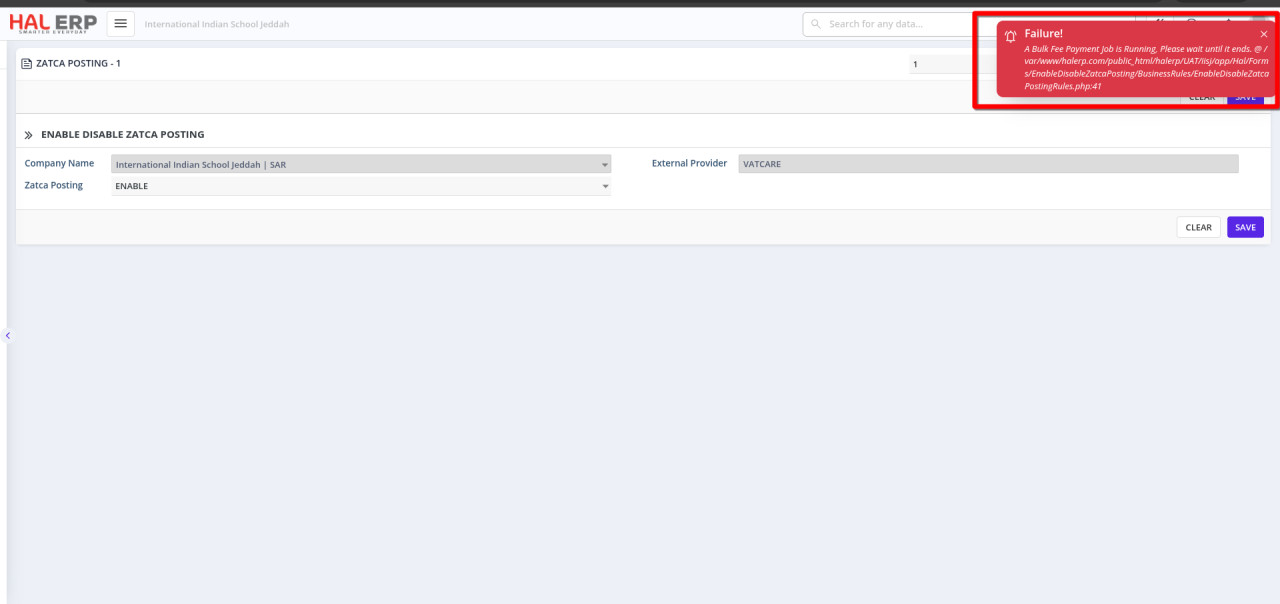
Alert During Re-Enable Zatca Posting:
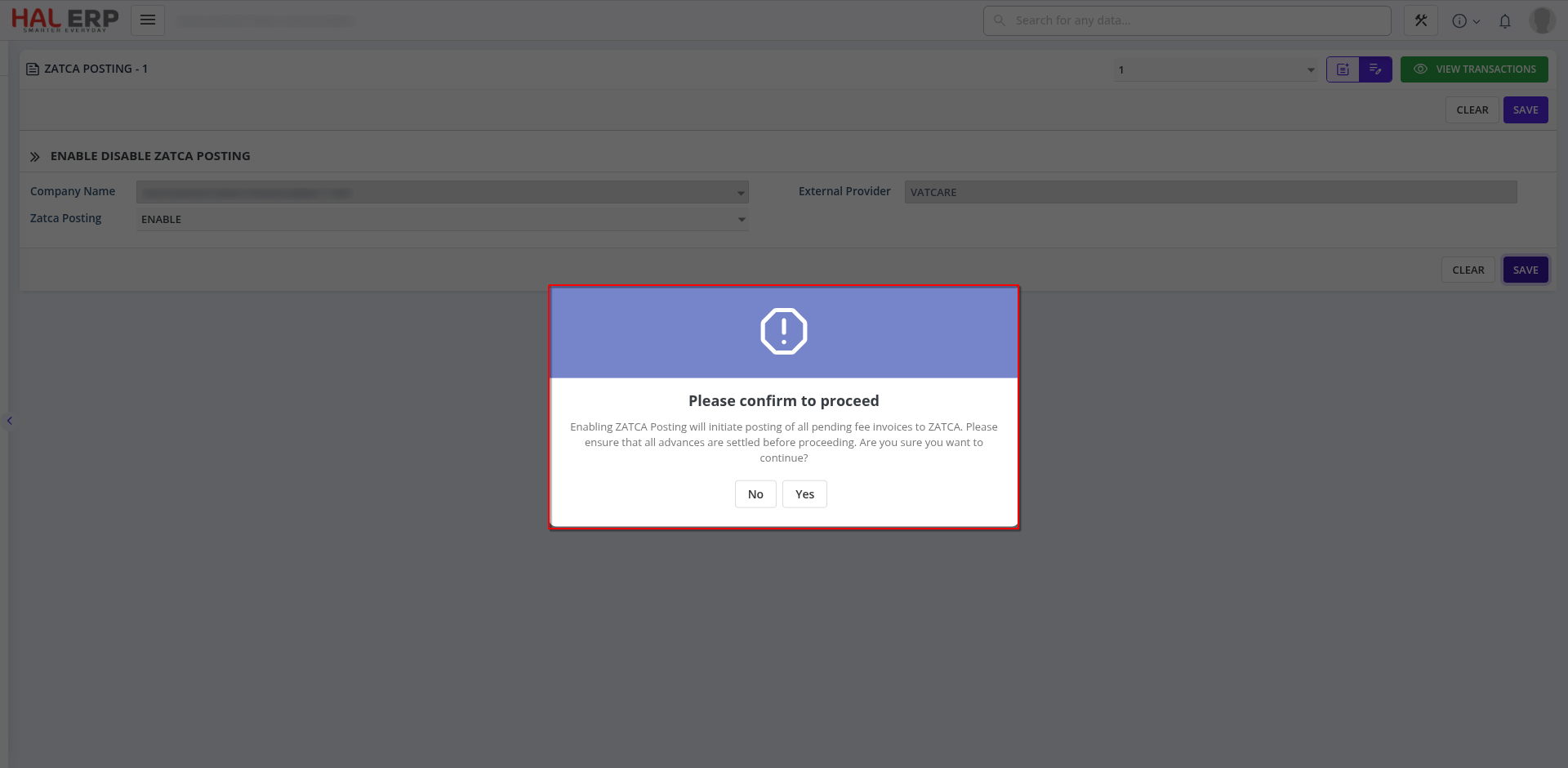
- If an Advance Tax Settlement job is in progress, an error will prompt the user to wait until the job completes before enabling
Alert During Re-Enable Zatca Posting when bulk fee settlement processing time: