🚀Whats New: Subcontracting Module🚀
We’re excited to introduce a powerful new module — Subcontractor, designed to help you track the quantity of items installed against each project, monitor how much the selected subcontractor has installed, and capture the corresponding cost for every installation with greater accuracy and transparency.
Here’s what’s new:
✅ Comprehensive Subcontractor Tracking
Easily monitor the quantity each subcontractor has installed for a specific project, along with the corresponding installation cost. This helps you maintain complete visibility over subcontractor progress and expenses.
✅ Form Structure
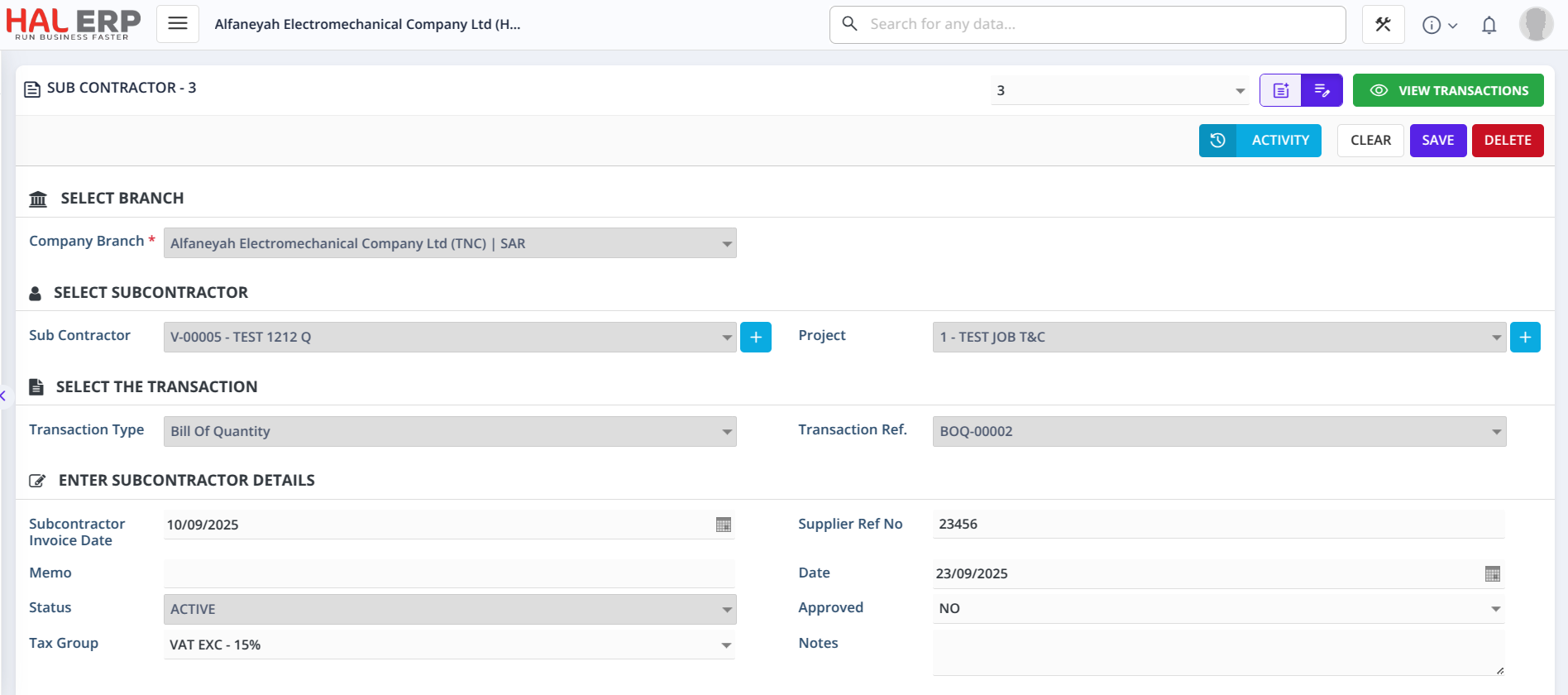
The Subcontractor form includes the following key fields:
-
Subcontractor – Displays the list of vendors fetched directly from the Vendor Master.
-
Project – Lists all Customer Jobs sourced from the Customer Job screen.
-
Transaction Type – Shows the Bill of Quantity (BOQ) created against the selected project.
-
Transaction Ref – Displays the Bill of Quantity Entry linked to the chosen project.
✅ Automatic Item Loading
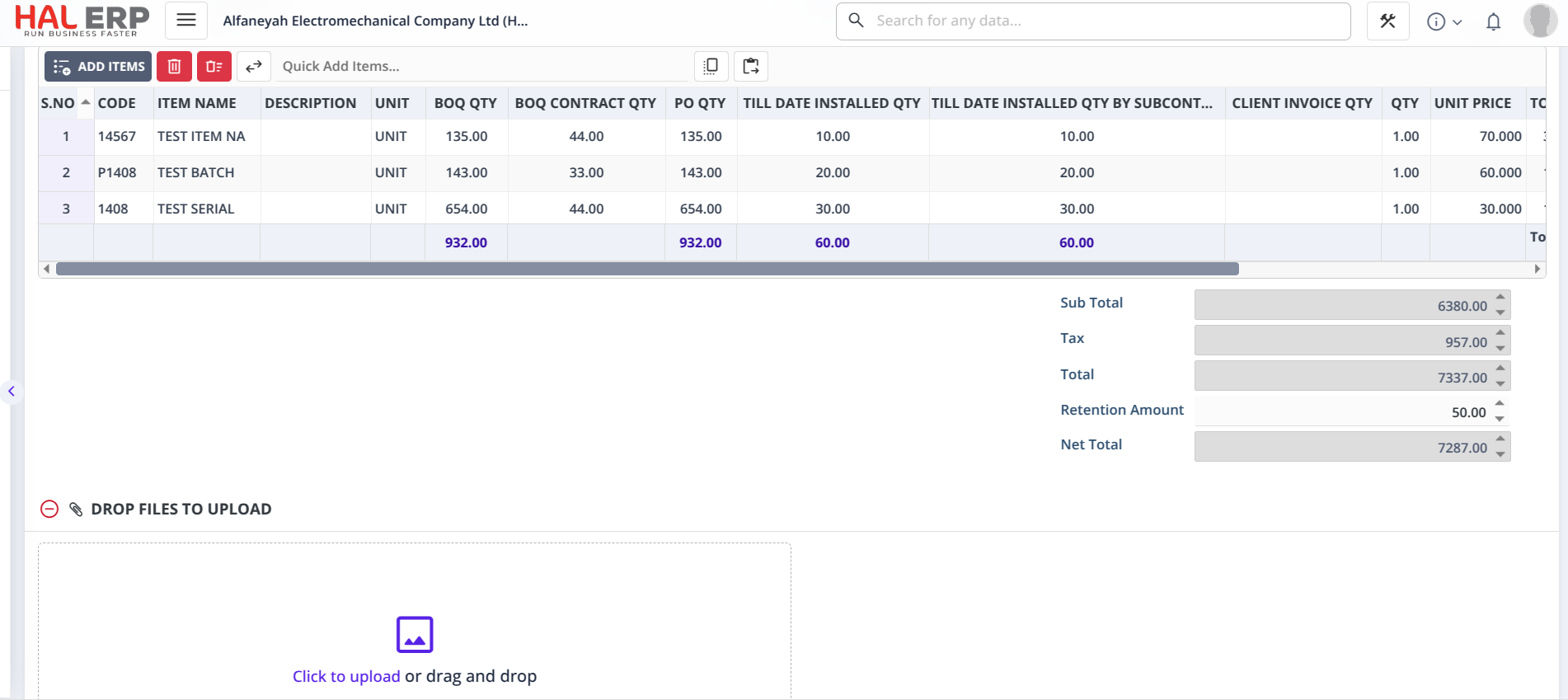
Once the respective BOQ entry is selected, all related items are automatically loaded into the grid. Each item displays:
-
Total BOQ Quantity for the project
-
Total Purchase Order Quantity for the project
-
Till Date Installed Quantity (overall installed quantity for the project)
-
Till Date Installed Quantity by SubContractor (specific to the selected subcontractor)
✅ Current Installation Entry
Users can enter the Current Installed Quantity in the Qty column. This value is added to the existing installation quantities, ensuring accurate cumulative tracking for future transactions.
✅ Bulk Add & Paste Upload Support
The BOQ Quantity, Purchase Order Quantity, and Till Date Installed Quantity details will be automatically displayed if the items are linked to a Bill of Quantity and selected through Paste Upload or Bulk Add methods.
📢 New Report Available: The Subcontractor Item Level Report displays all project details against each line item, showing whether items have been installed as per BOQ/PO quantities — with one consolidated line per vendor, item, and project, and all quantities and amounts aggregated for clarity.
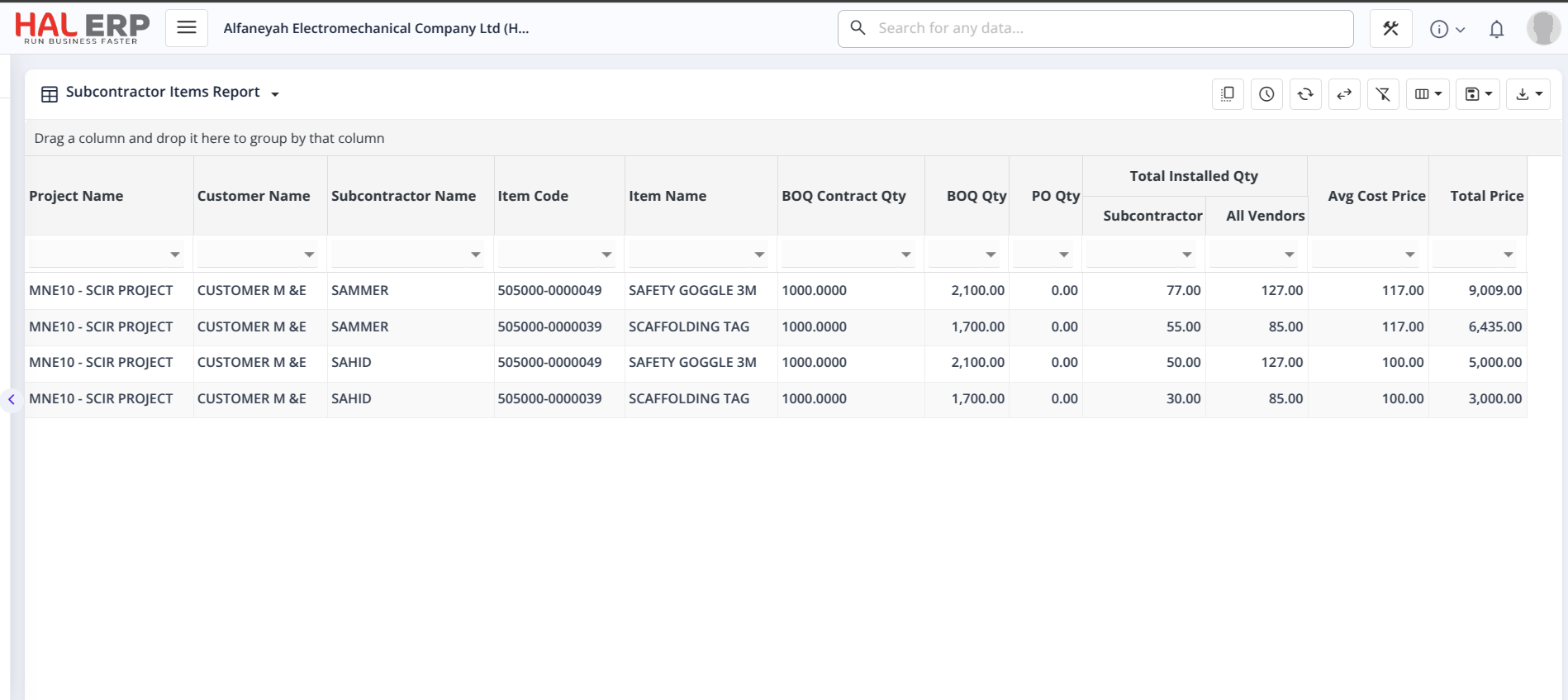
This new Subcontractor Module ensures complete control and transparency over subcontractor installations — helping teams track project progress, manage vendor performance, and analyze costs effortlessly.