🚀 Whats New: Send Receipt via WhatsApp🚀
We are excited to introduce a new feature that enhances convenience and flexibility by allowing ERP users to choose between printing the receipt or sending the receipt via WhatsApp once the form is submitted.
How to Use the Send Receipt via WhatsApp Feature
This feature streamlines the process of sending receipts, making it faster and more efficient: Here’s how it works:
- Save the Form: Complete and save the form.
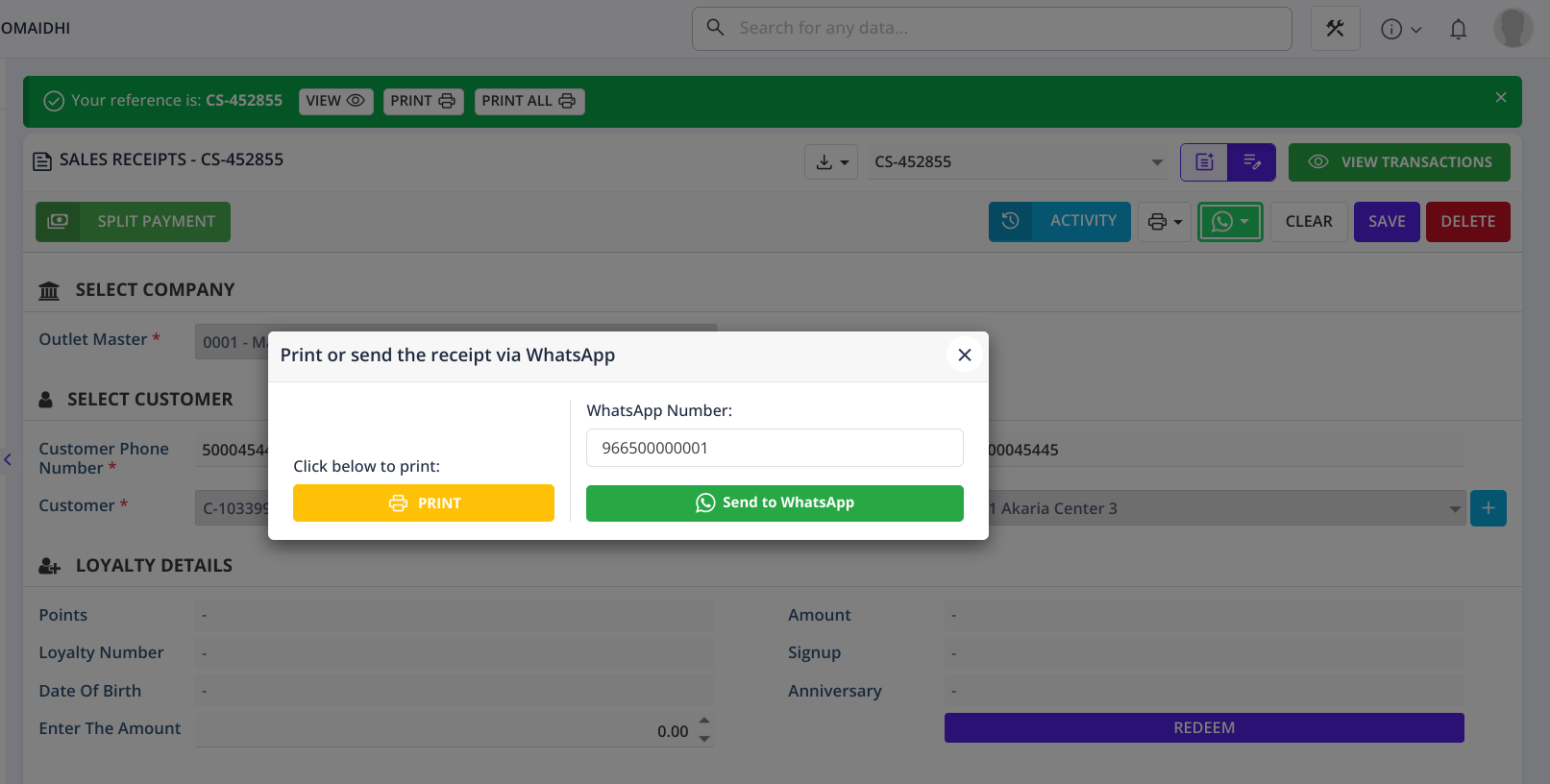
- Choose Your Option: A popup will appear with options to either Print or Send to WhatsApp, along with a field to update the end user's WhatsApp number if needed.
- Select View: If you choose Print, the receipt will open in a new browser tab.
- Select Send to WhatsApp: If you choose Send to WhatsApp, the receipt will be sent directly to the end user's WhatsApp number specified in the pop up.
- Third-Party Provider: If a third-party provider feature is enabled, the receipt will be sent through their SMS service; otherwise, it will be sent from HAL.