🚀What’s New: Select or Update Ledgers Directly in Transaction Grid Line Items🚀
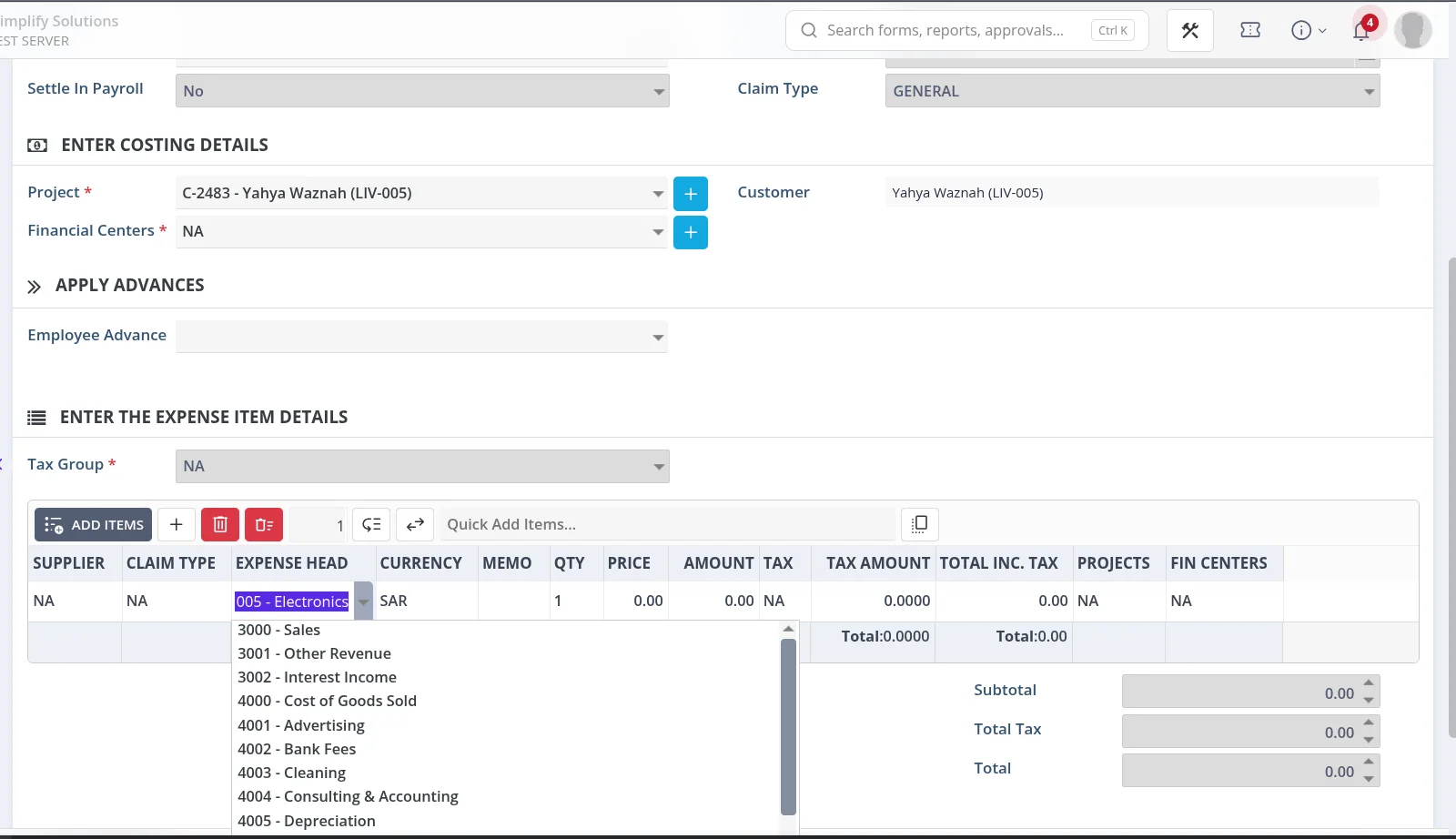
You can now select or update ledgers directly from the transaction details grid Line Items in the following modules:
- Journal Entry
- Employee Claim
- Expense
- Record Income
How Does It Work?
- Open the required transaction.
- In the transaction grid, double-click the Ledger column.
- Search for a ledger using its account number or name.
- Select the required ledger to add or replace the existing ledger.
The ledger list displays only eligible detail-level ledger accounts. This makes it easier to find and select the correct account.
Why Is It Useful?
Previously, users had to click Add Items and select a ledger from a list that included both header-level and detail-level accounts.
With this enhancement, users can select or update a ledger directly within the transaction details grid by double-clicking the Ledger column.
This simplifies ledger selection, reduces unnecessary navigation, and makes transaction entry faster and more convenient.