What’s New in ReachApp
🔐 Parent Self-Signup Enabled
Parents can now create their own ReachApp accounts through the new Sign-Up enhancements.
🧾 Easy Login Using Existing School Records
To ensure secure and accurate account creation, parents simply need to enter:
Invite Code: The parent’s DocNum (from the fee receipt)
Password: Primary parent’s Iqama number
If both details match the school records, the parent can log in instantly, and their account will be automatically created in both the ERP and ReachApp.
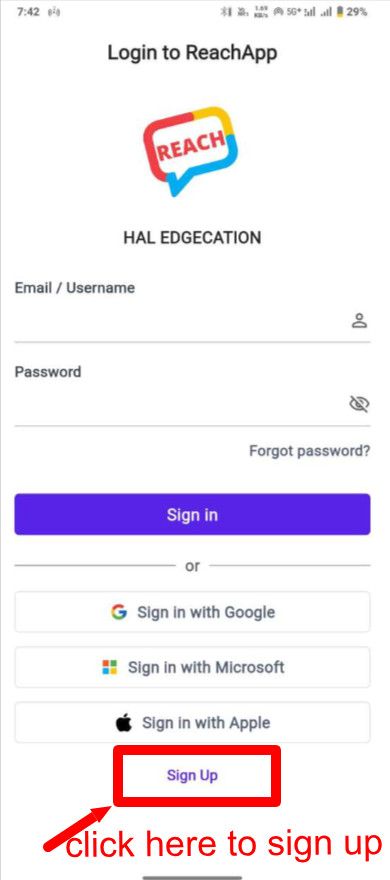
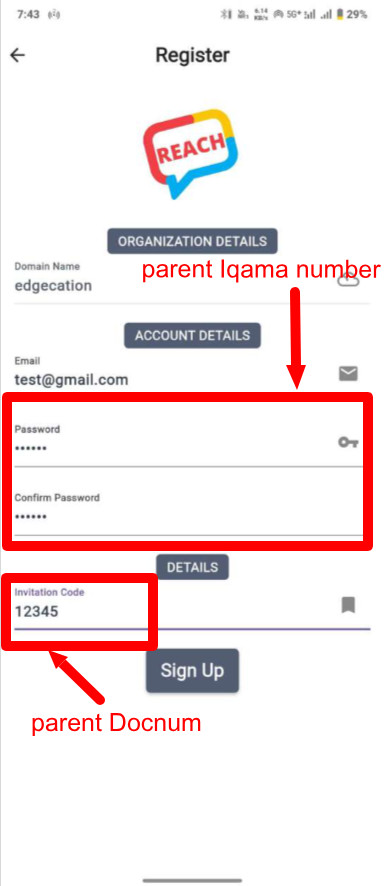
This update simplifies onboarding and helps parents connect to their child’s school faster and more securely.
🔍 Forgot Email Recovery – Made Simple
We’ve introduced a smarter and more convenient way to retrieve your registered email address.
If you’ve forgotten your email, you can now enter your username on the Forgot Password screen. If it matches our records and the account is active, ReachApp will instantly display the email ID linked to your account.
If the account is inactive or the username doesn’t exist, the system will validate and show the appropriate error messages.
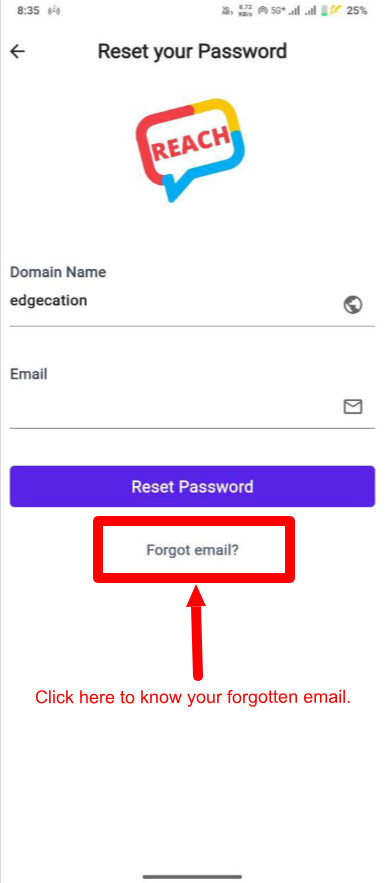
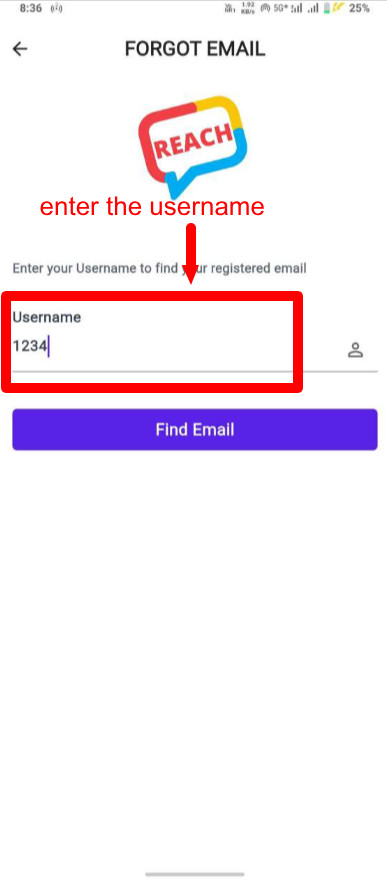
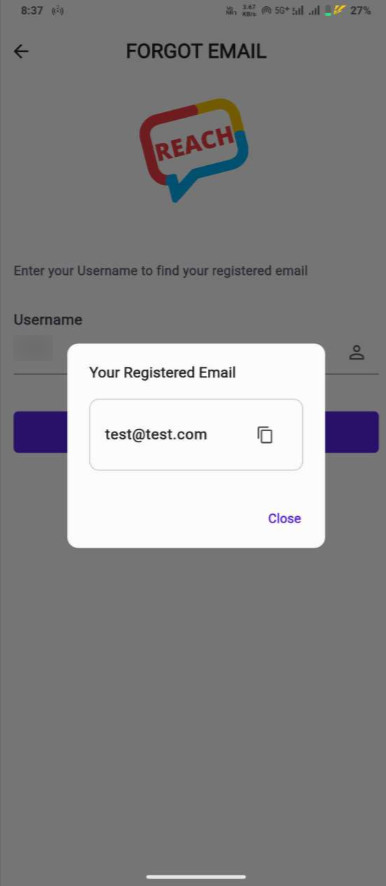
This update ensures a smoother, faster, and more user-friendly login experience.
🔐 Change Password Anytime
We’ve made account security even more convenient!
Once you log in, you can now update your ReachApp password directly from the Settings screen. Simply enter your current password and choose a new one. If the current password is correct, your new password will be updated instantly — no need to contact the school or organisation.
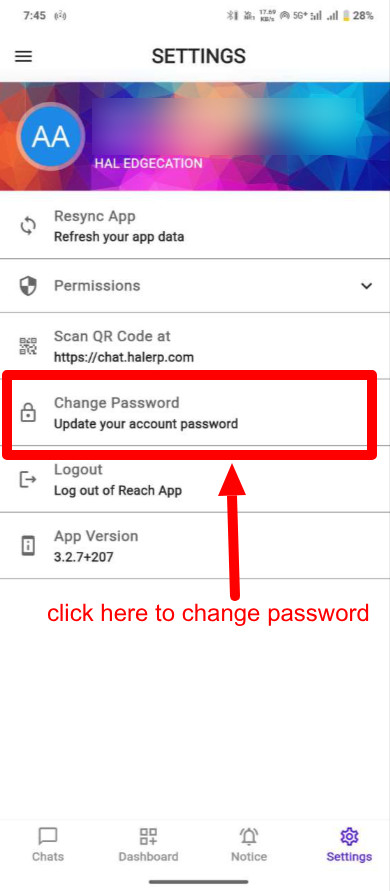
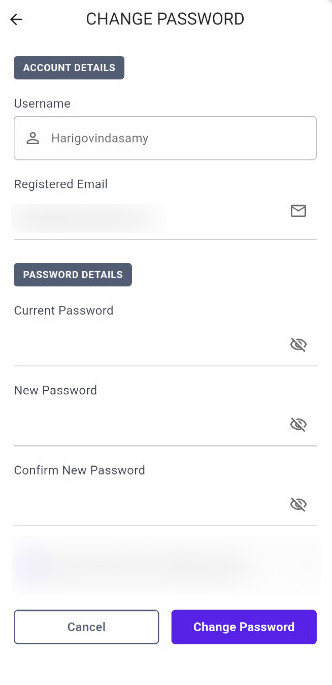
This update gives you more control, privacy, and flexibility over your account.