🚀 What’s New: Holiday Attendance & Offsite Tracking Enhancements🚀
We’ve introduced new updates to improve how attendance is handled on holidays, along with better visibility into employee punch details.
✅ Holiday Attendance Control
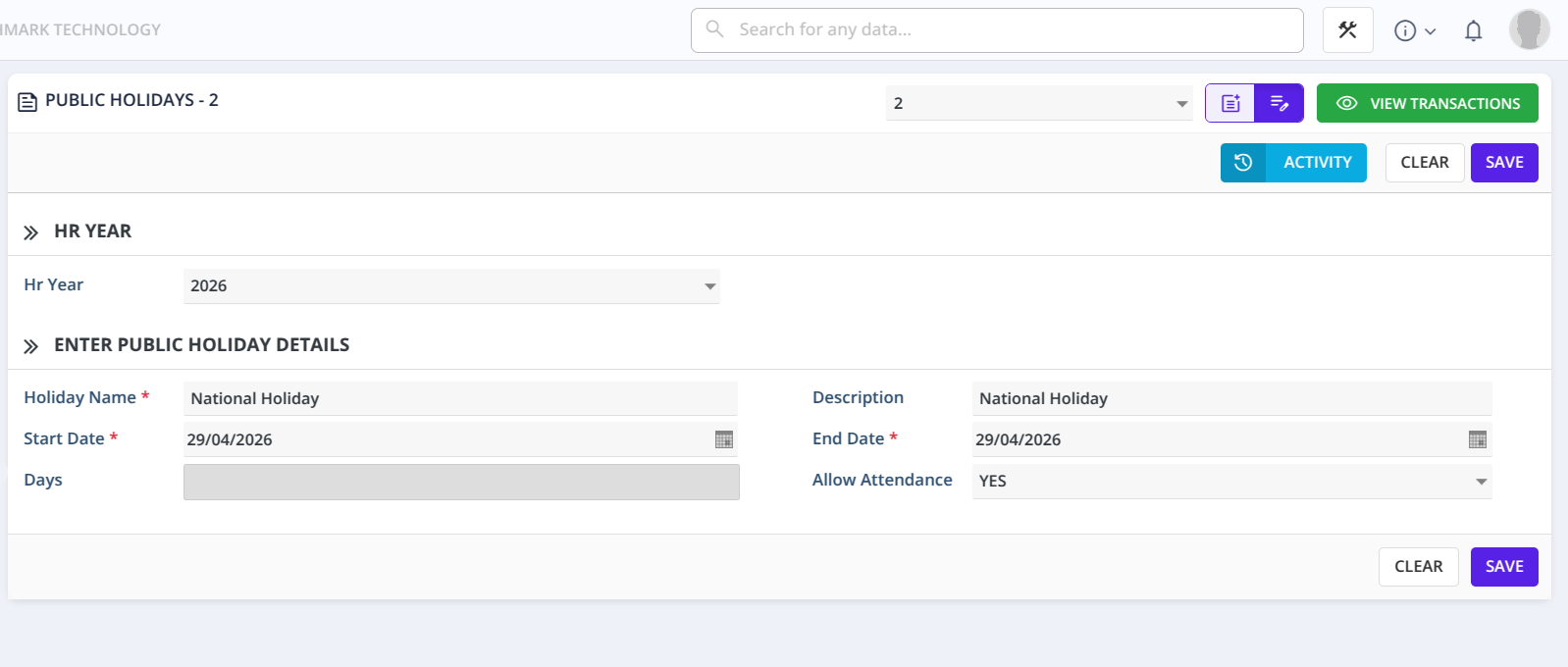
A new Allow Attendance option is now available in the Holiday Master.
- Yes — Employees are allowed to mark attendance on the holiday.
- The recorded time will be included in the employee’s Total Working Hours (treated as overtime/extra working time ).
- No — Attendance is restricted.
- The system will display: “Cannot take attendance today”
In Employee Daily Attendance Report
🗓️ Day Type Classification
A new Day Type field has been added to clearly indicate how each day is categorized:
- Working Day
- Holiday
- Week Off
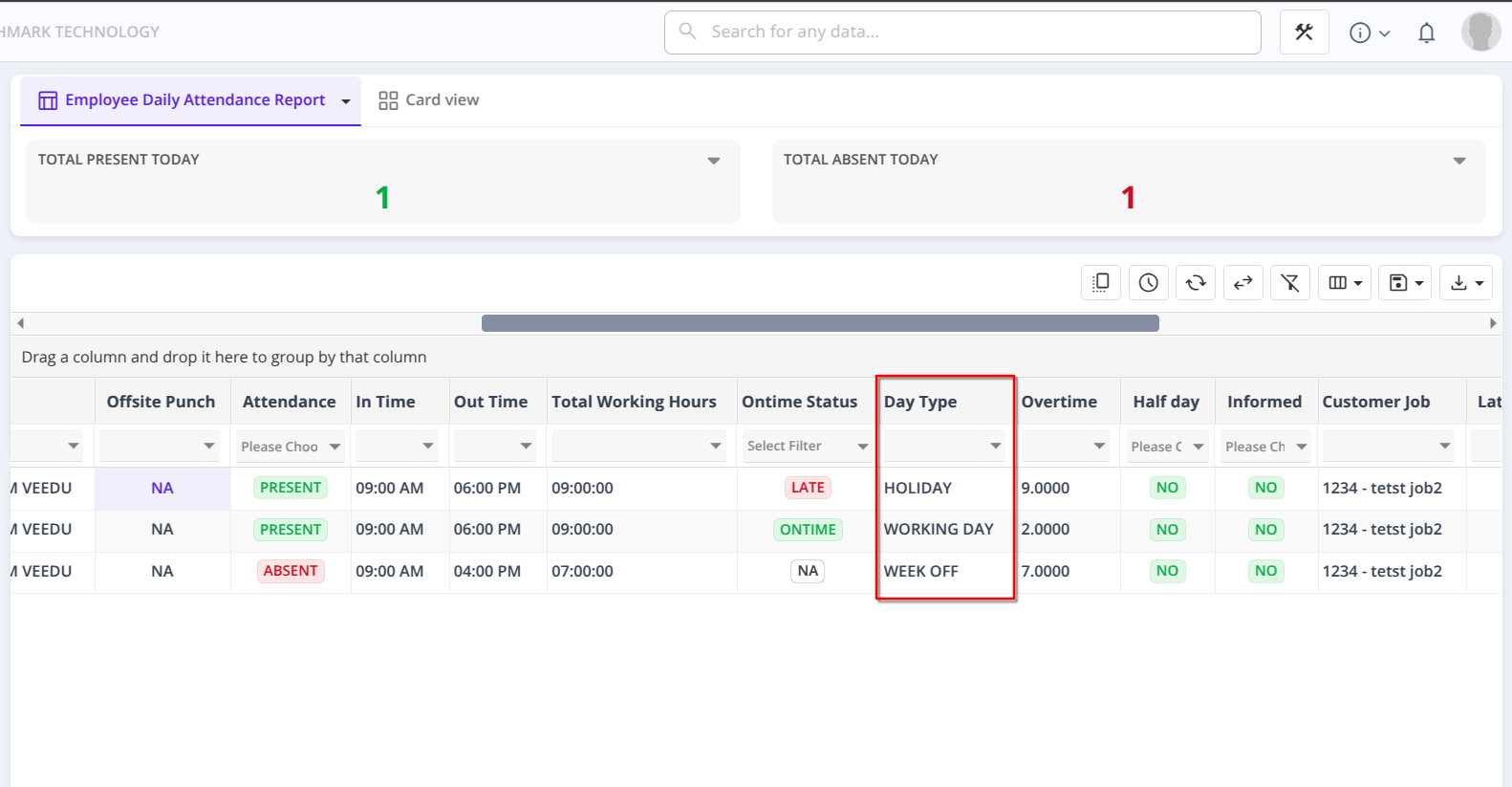
This helps in better understanding and processing of attendance records.
📍 Offsite Punch Indicator
A new Offsite Punch column has been introduced to identify punches made via Work From Home (WFH) mode in ReachApp.
-
Yes — Punch-in or punch-out was done using WFH mode.
-
No — Punch was recorded from the regular (onsite) mode.
-
-
🎯 Why This Matters
These enhancements help you:
- Control whether attendance is allowed on holidays
- Accurately classify days for attendance processing
- Clearly identify offsite/WFH punches
- Improve visibility and accuracy in working hours and overtime calculations