📊 What’s New: Flexible Financial Year Support in Budget Module
🎯 What Changed?
HAL ERP’s Budget Module now supports custom financial year periods aligned with your organization’s fiscal calendar.
Previously, budgets could be created only for January–December. With this enhancement, you can now create budgets that match your actual financial year, ensuring accurate planning and reporting.
🏫 Why Is This Important?
The Problem We Solved
Many organizations—especially schools and educational institutions—do not follow the calendar year for budgeting.
Common financial years include:
-
🇸🇦 Saudi Schools: April – March
-
🇮🇳 Indian Schools: April – March
-
🇦🇪 UAE Schools: September – August
-
🇬🇧 UK Schools: September – August
-
🇦🇺 Australian Schools: January – December or July – June
Before This Enhancement:
❌ Budgets had to be force-fit into Jan–Dec
❌ Reports didn’t align with real financial cycles
❌ Month-wise tracking was confusing
❌ Schools couldn’t fully use the Budget Module
Now, With Flexible Financial Years:
✅ Create budgets for any 12-month period (Apr–Mar, Jul–Jun, Sep–Aug, etc.)
✅ Budget months automatically reorder based on financial year start
✅ Budget Expense Reports align with fiscal periods
✅ Downloaded Budget Expense Reports also follow the same month order
✅ Accurate tracking that matches real planning cycles
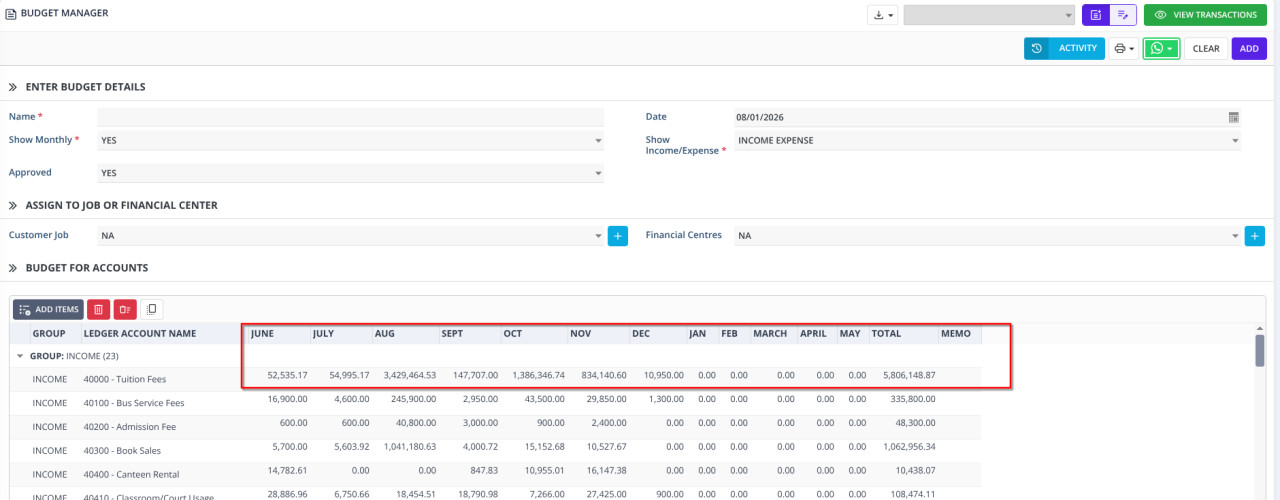
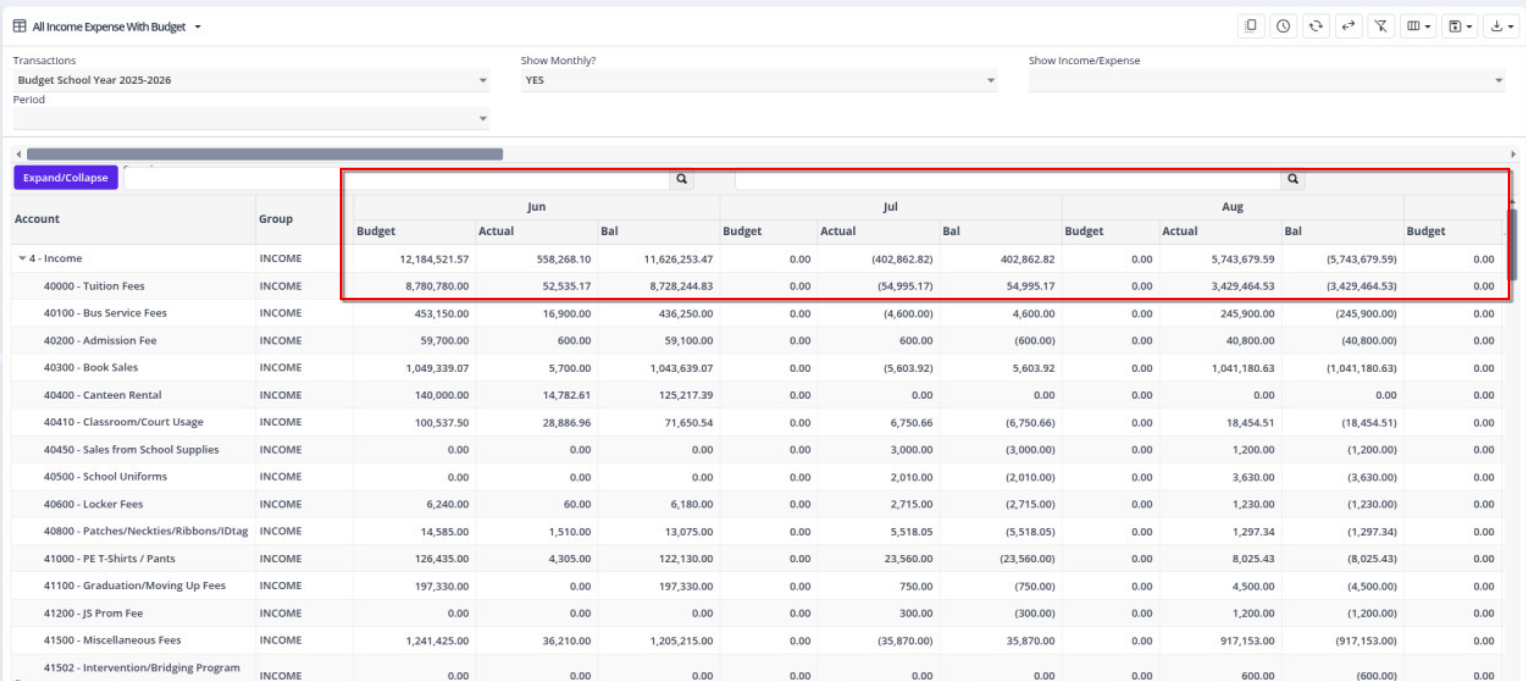
🔄 Budget Report Column Arrangement (Budget / Actual / Balance)
The Budget Report now supports rearranging month columns for Budget, Actual, and Balance based on the tenant’s configured financial year.
-
Month columns in the Budget Report are arranged to follow the financial year sequence
-
PDF prints and downloaded reports preserve the exact same column order shown on the screen
-
This allows users to print, download, and compare Budget vs Actual vs Balance in the correct financial year order
✅ No mismatch between screen and print
✅ Clear month-wise comparison
✅ Financial year–aligned reporting
Example
A school's budget starting in April:
Before:
- Columns: Jan | Feb | Mar | Apr | May | Jun | Jul | Aug | Sep | Oct | Nov | Dec
- ❌ Confusing! Year splits in the middle
Now:
- Columns: Apr | May | Jun | Jul | Aug | Sep | Oct | Nov | Dec | Jan | Feb | Mar
- ✅ Clear! Complete year in order
Who Benefits?
- 🏫 Schools - Match academic year
- 🏛️ Government - Match fiscal year
- 💼 Businesses - Match your planning cycle
🎉 Bottom Line
No more workarounds.
No more confusion.
Your budgets — on screen and in downloads — now align perfectly with your financial year. 🎯