🚀 What’s New: Enhancement in Landed Cost module.
We’ve introduced an enhancement in the Landed Cost module to improve project and financial center management.
🔹 Item Loading
Once Item Receipts are selected, items are automatically loaded into the grid.
🔹 Project & Financial Center
Project and Financial Center fields are now available at both header level and item (grid) level.
The default value for both fields is set to NA in header level.
🔹 Confirmation Prompts
Project selection (Header level)
When a Project is selected, a confirmation message appears:
“On updating existing Project will update in header and item level as well. Do you want to proceed?”
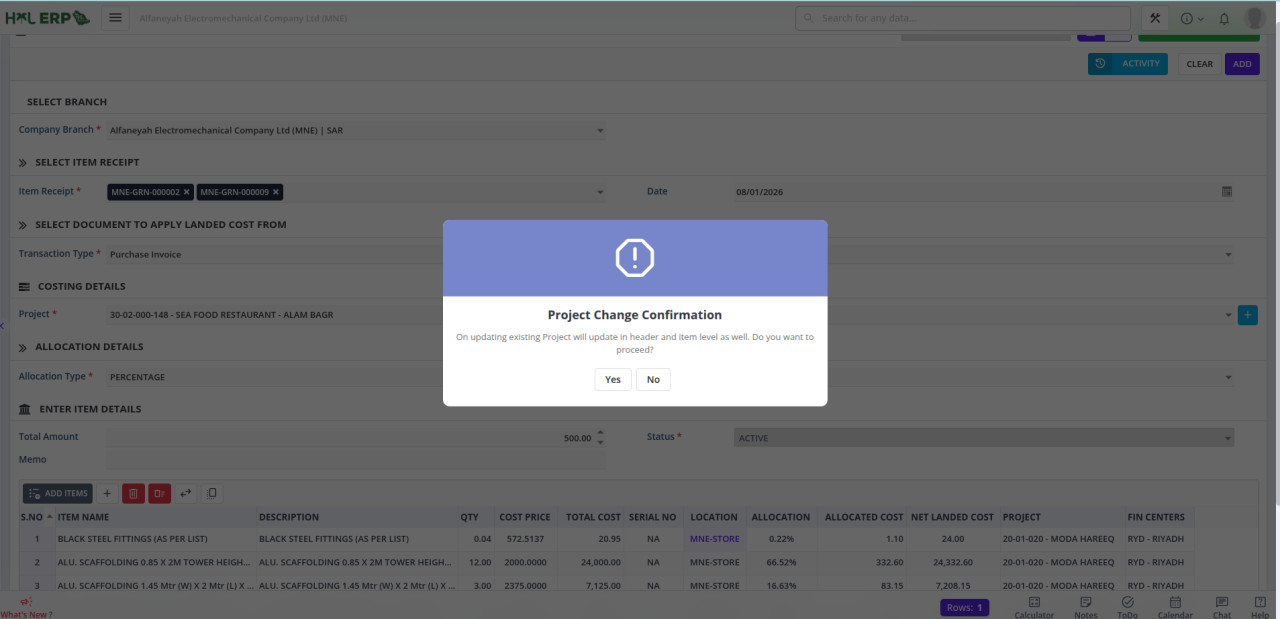
✅ Yes → Updates the Project in the header and all grid items
❌ No → Keeps the grid items unchanged
Financial Center selection (Header level)
When a Financial Center is selected, a confirmation message appears:
“On updating existing Fin Centre will update in header and item level as well. Do you want to proceed?”
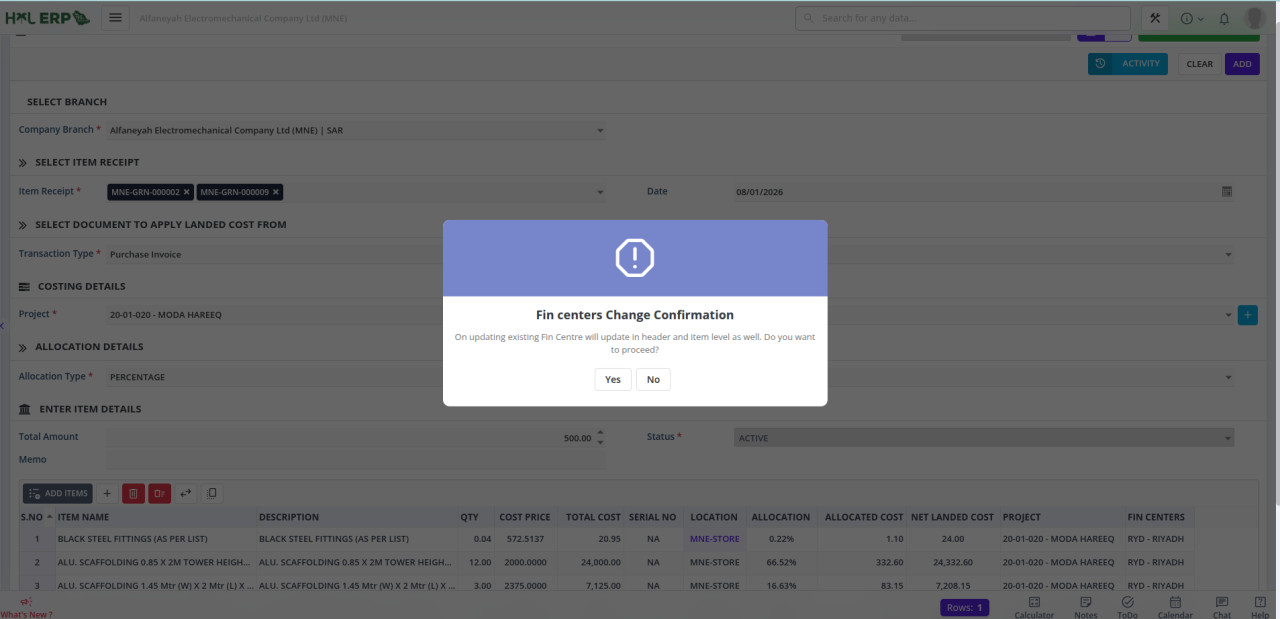
✅ Yes → Updates the Financial Center in the header and all grid items
❌ No → Keeps the grid items unchanged
🔹 Ledger Impact
Ledger postings reflect the selected Project and Financial Center at both header and item levels.