🚀 Whats New: Employee Planning Tool🚀
We’ve rolled out a powerful, intuitive Planning Tool to help you manage employee job planning and assignments with clarity and precision.
🔑 Key Features:
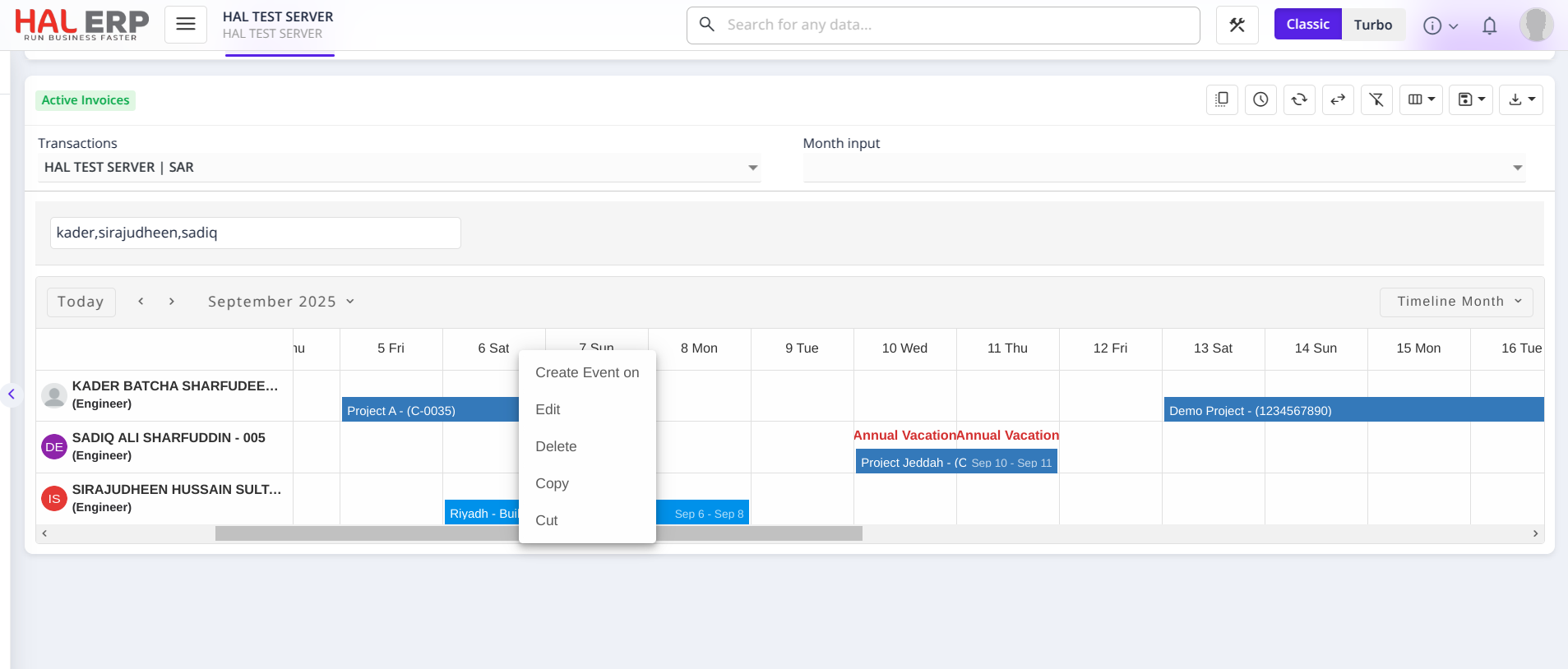
📅 Visual Timeline View
Plan, track, and view job assignments for each employee in Day, Week, or Month timeline formats. — so you can instantly see who is working on what and when.
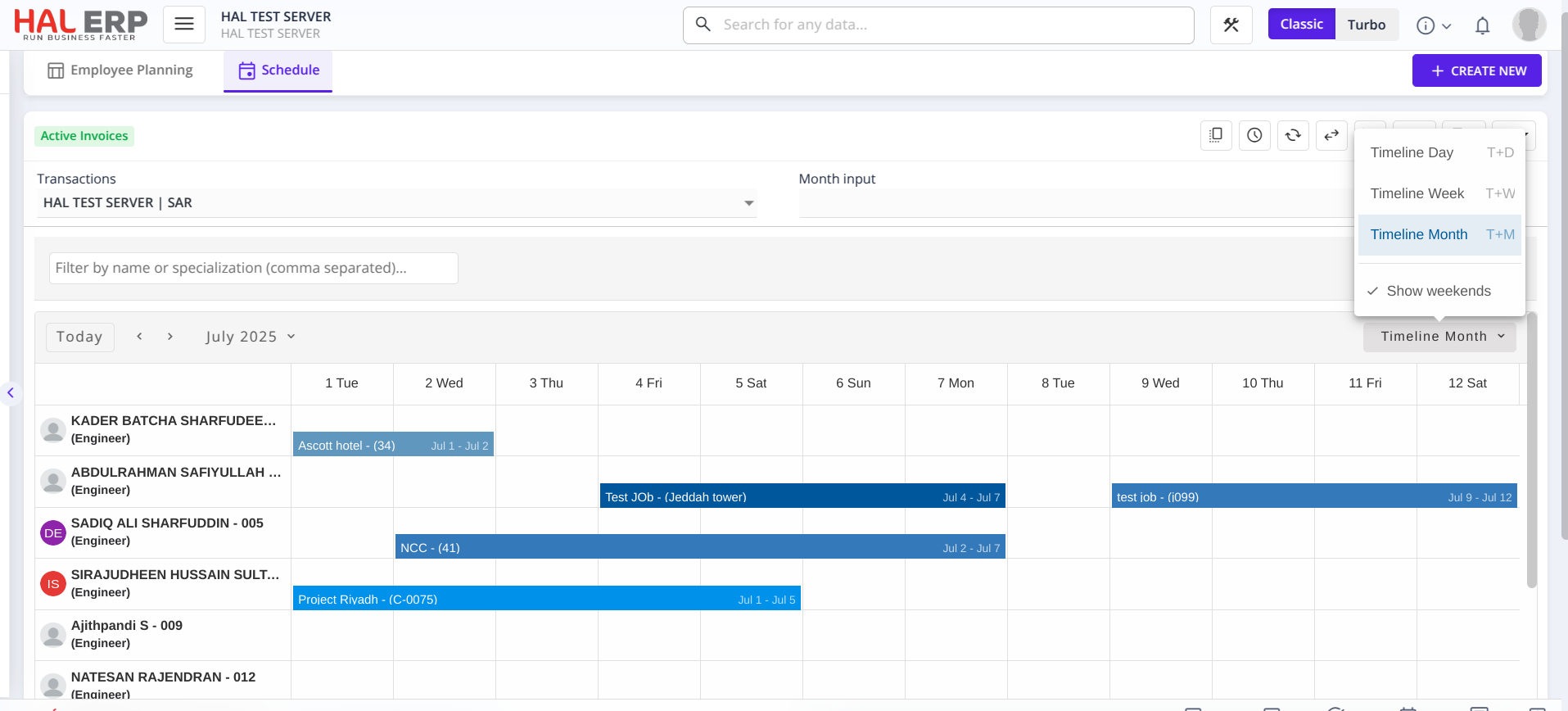
👤 Employee-Based Scheduling
Each row represents an employee, allowing you to assign and view their planned tasks at a glance.
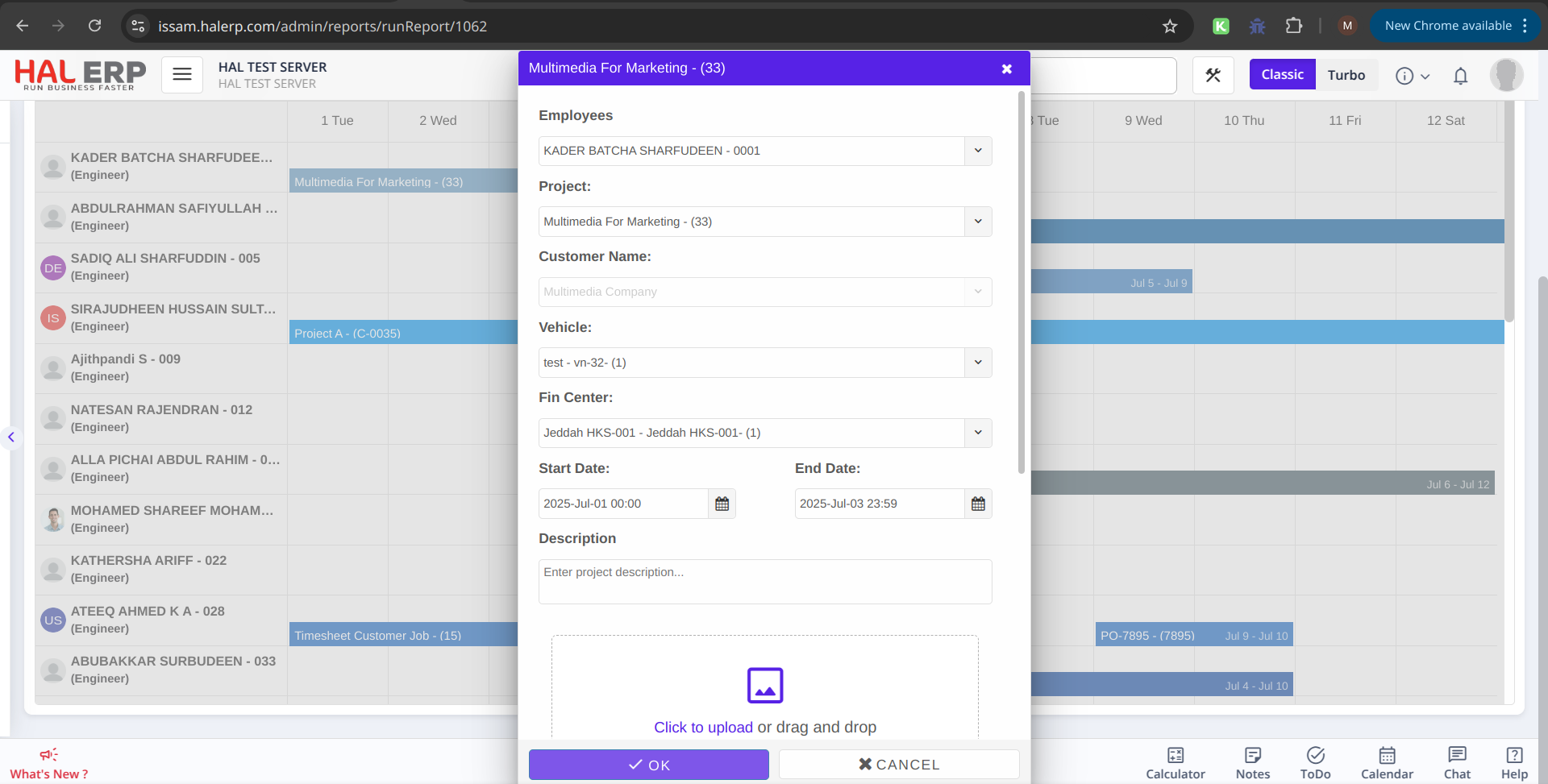
🔗 Job & Project Linking
Easily link projects/jobs to employees directly through the planning pop-up.
🎯 Dynamic Filters
Filter by employee and specialization to focus only on the data you need.
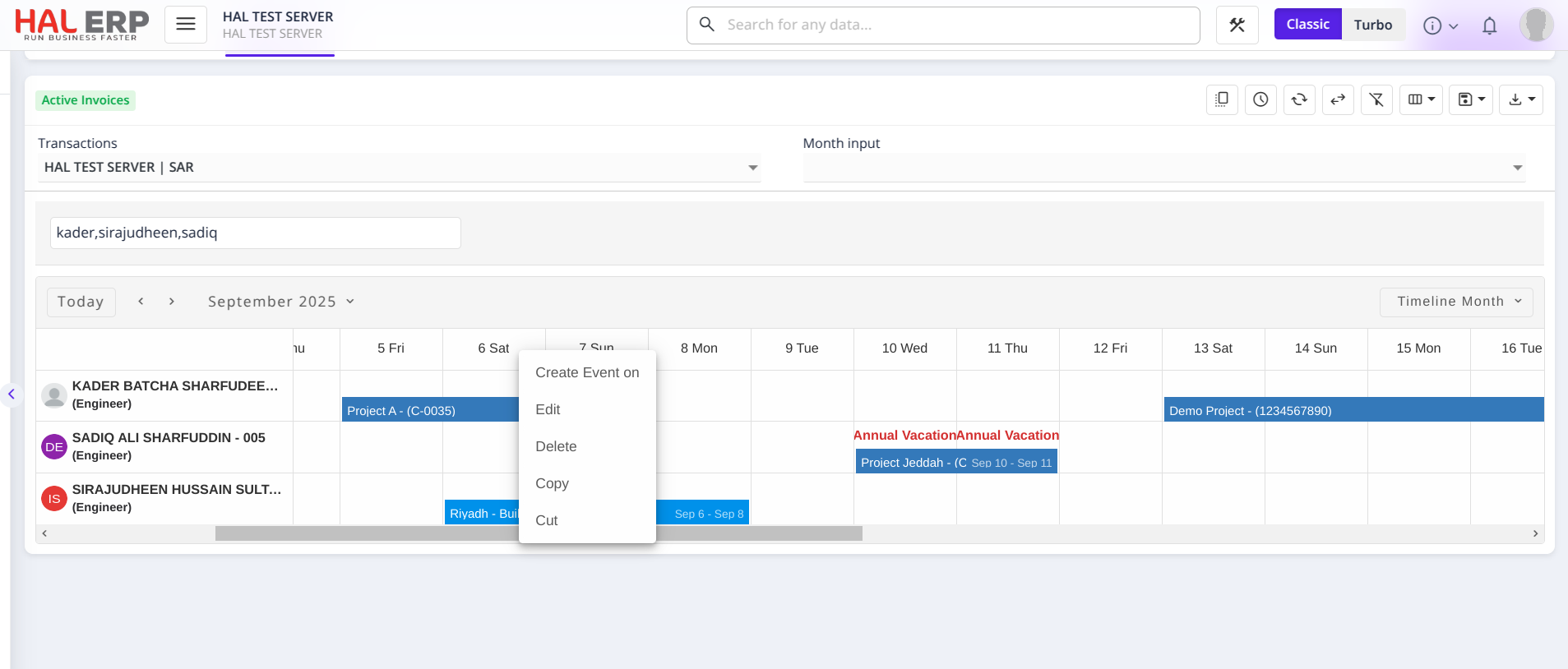
⚡ Real-Time Editing & Updates
Create, modify, move, resize, drag and drop, cut, copy, and paste planning entries directly on the timeline. All updates are reflected instantly in the system.
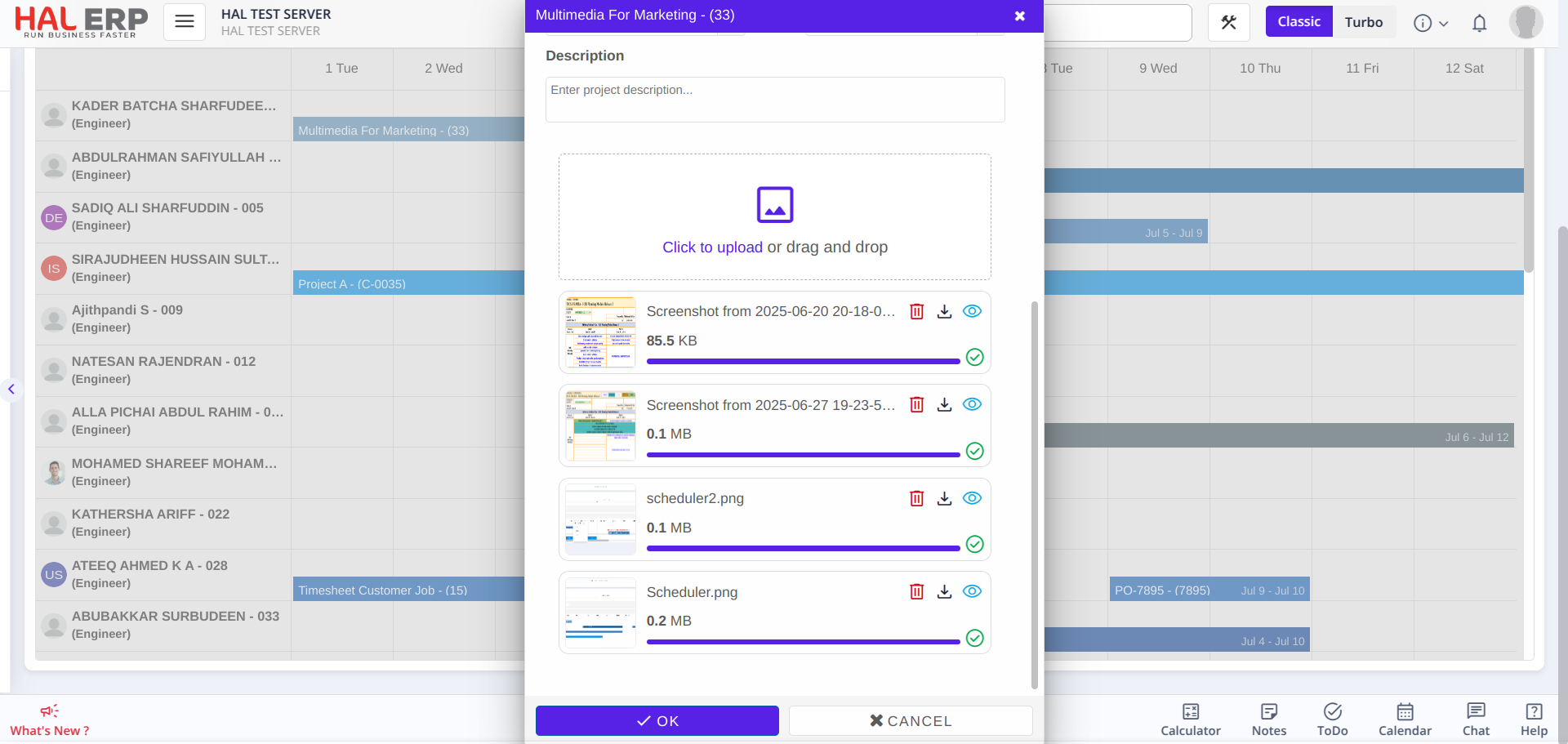
📎 Document Uploads
Attach multiple documents (such as checklists, instructions, and approvals) to each scheduled task.
🚫 Inactive Employee Restrictions
Inactive employees are automatically excluded from new planning while keeping their past data visible.
🏖️ Employee Vacation Indication
Employee leave is visually indicated on the scheduler. Planning is still allowed on those days with full visibility.
🔔 Planning Notifications in ReachApp
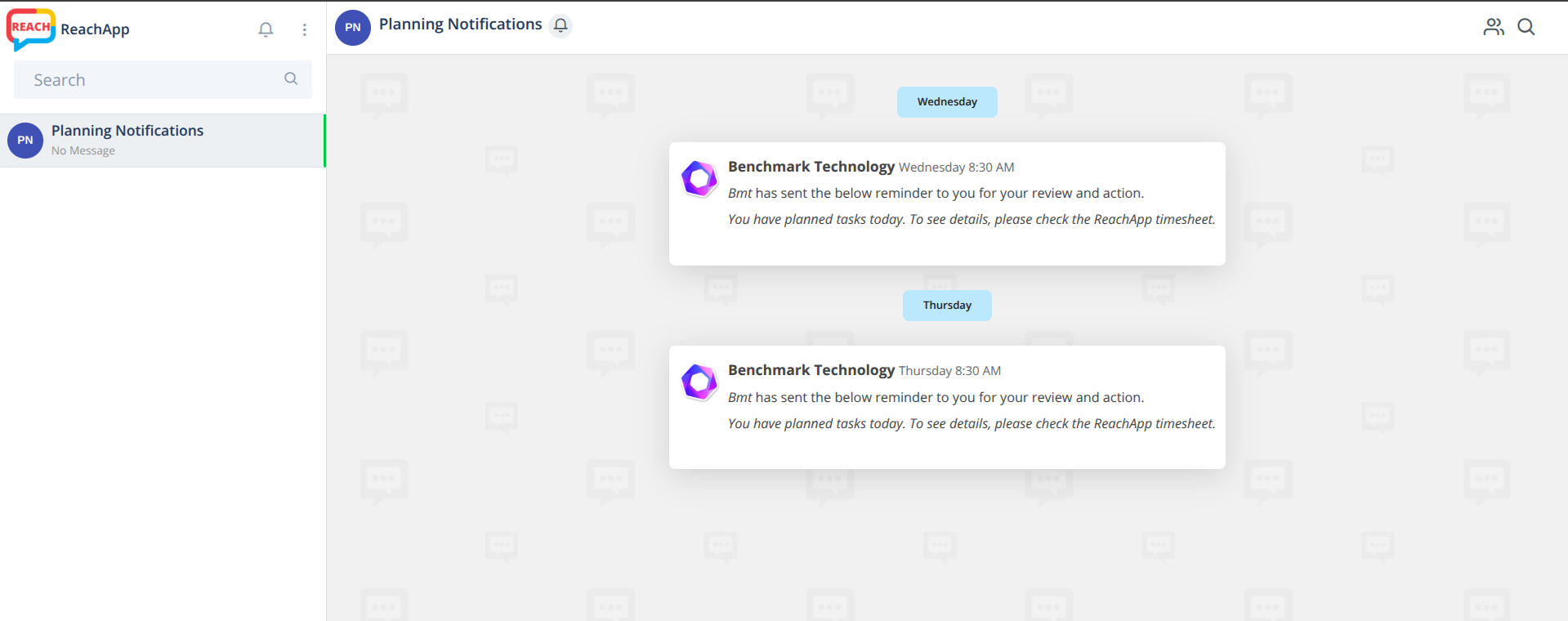
Employees will now receive automatic notifications in ReachApp when they have planned tasks.
- If a planning entry is created for an employee, they will receive notifications on the scheduled dates
- For example, if a task is planned from today to tomorrow, notifications will be sent on both days.
- Notifications will appear in the “Planning Notification” channel in ReachApp
📩 Notification Message:
“You have planned tasks today. To see details, please check the ReachApp timesheet.”
💡 Why You’ll Love It:
-
🖥️ Centralized View of all planning tasks in one screen
-
🕒 Time-Saving drag-and-drop interface for task assignment
-
👁️ Improved Visibility into resource utilization
-
🧑💼 Perfect for Managers handling job allocation, planning, and resource tracking