**🚀 What’s New: CRM & Customer Contact Auto-Sync Overview 🚀**
The HAL ERP system maintains automatic bidirectional synchronization between CRM Contacts and Customer Contacts, ensuring data consistency across both modules.
Creating Customer from CRM Deal
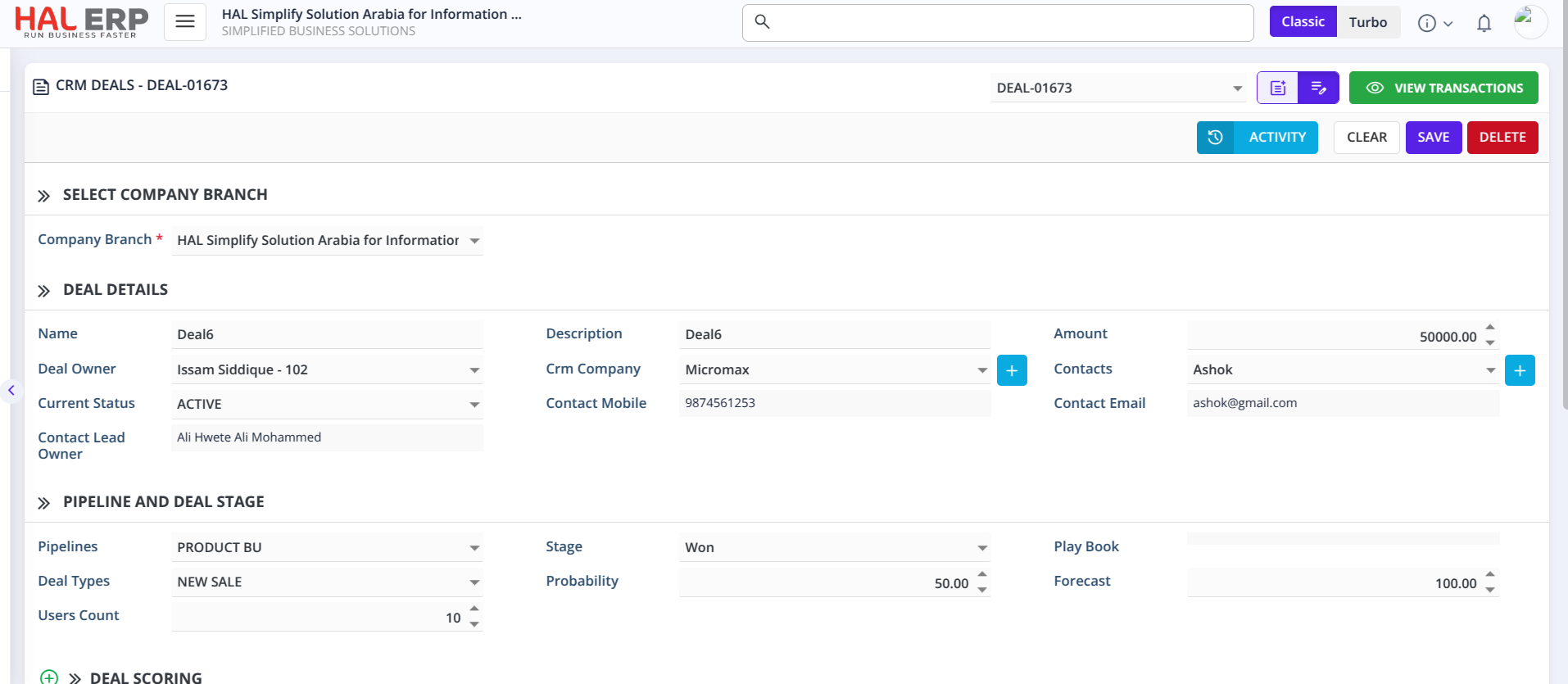
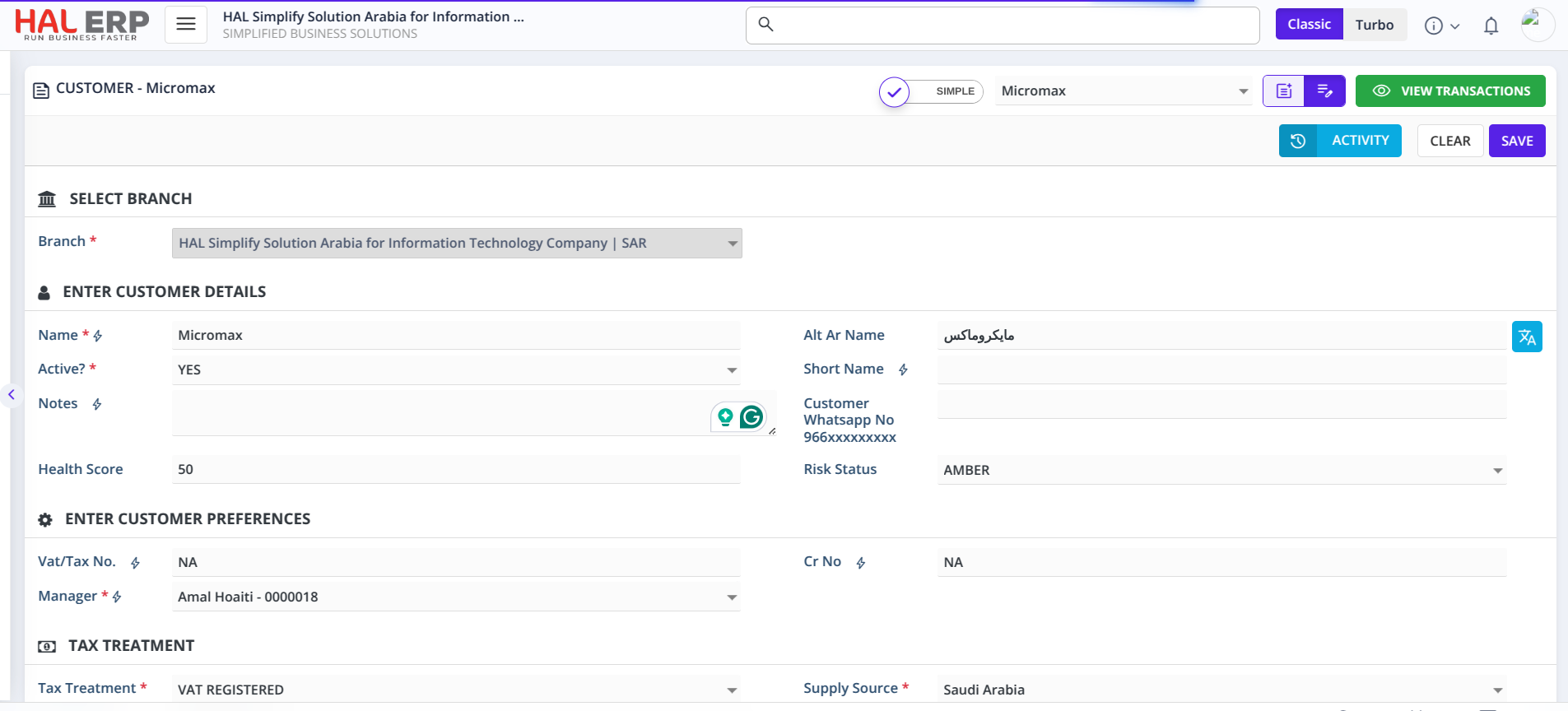
When a CRM Deal reaches the configured stage, the system automatically creates a Customer and syncs all related contacts.
Key Process Flow:
- Deal Stage Trigger: When a deal moves to the configured stage (e.g., "Won" or "Negotiation Started")
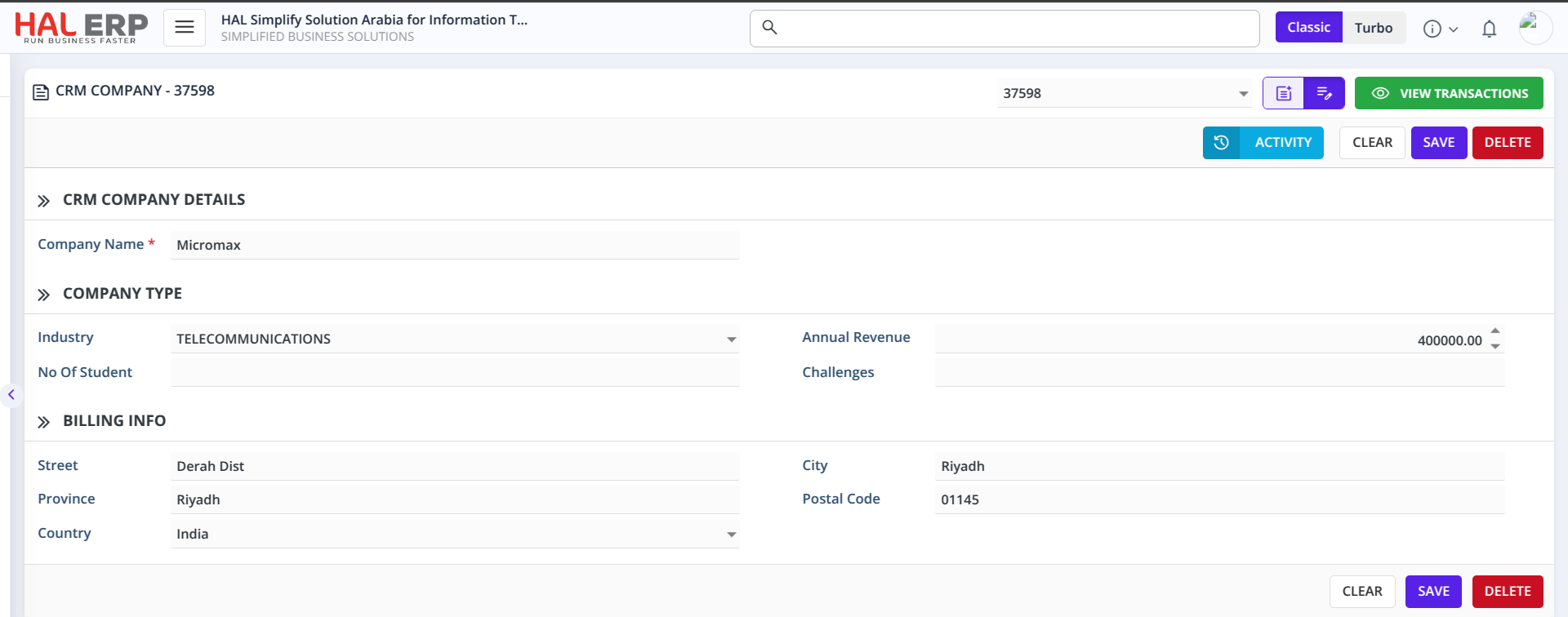
- Customer Creation: System creates a new Customer record from the CRM Company details
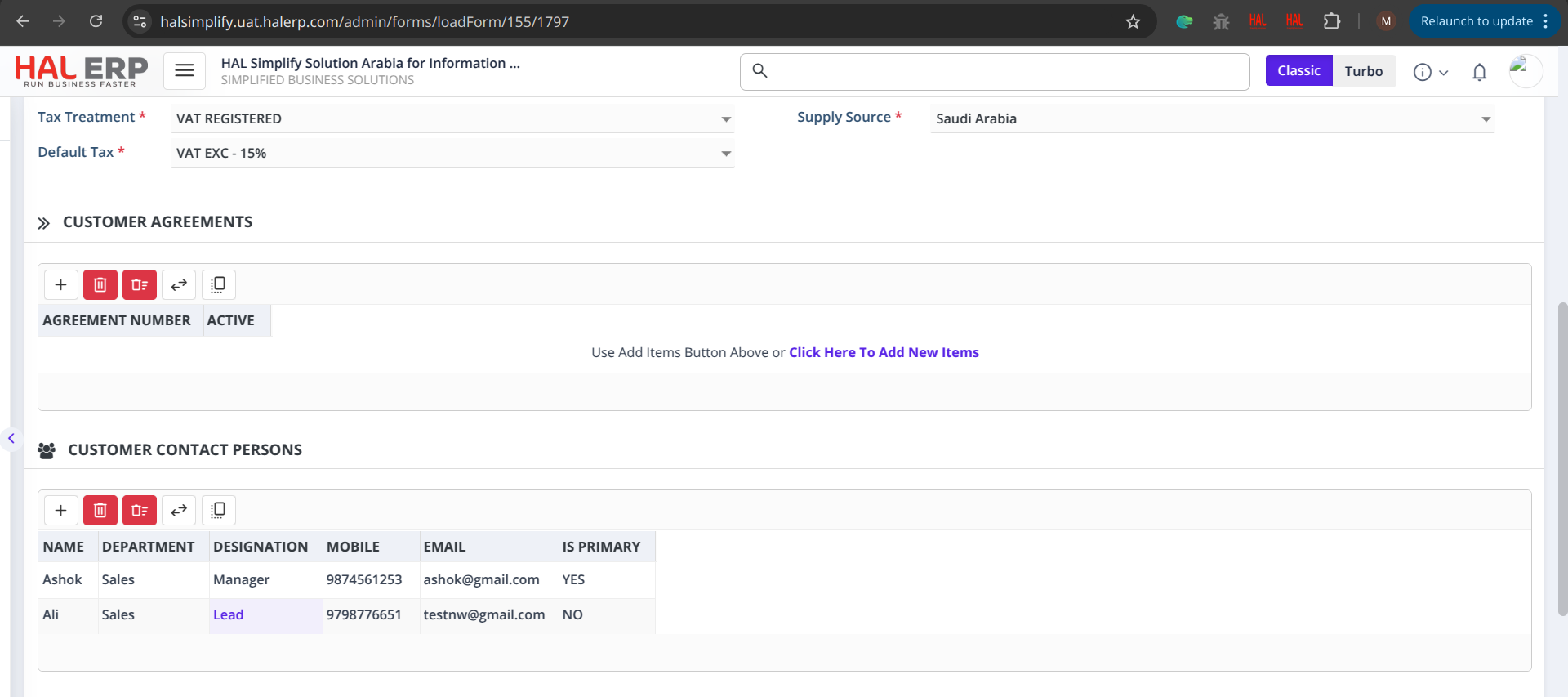
- Primary Contact Assignment: The contact selected in the deal is added as the primary contact in the customer contact list.
- Additional Contacts Sync: All other contacts linked to the same CRM Company are added as secondary contacts.
Updating Contact Information
Updates from Customer → CRM
When you update a contact in the Customer module, the system automatically updates the corresponding CRM Contact record. This ensures that both modules always stay in sync with the latest information.
Updates from CRM → Customer
When a contact detail is updated in CRM, if that contact belongs to a company that already has a customer created in the Customer module, the system will automatically update the matching contact in the Customer Contacts list.
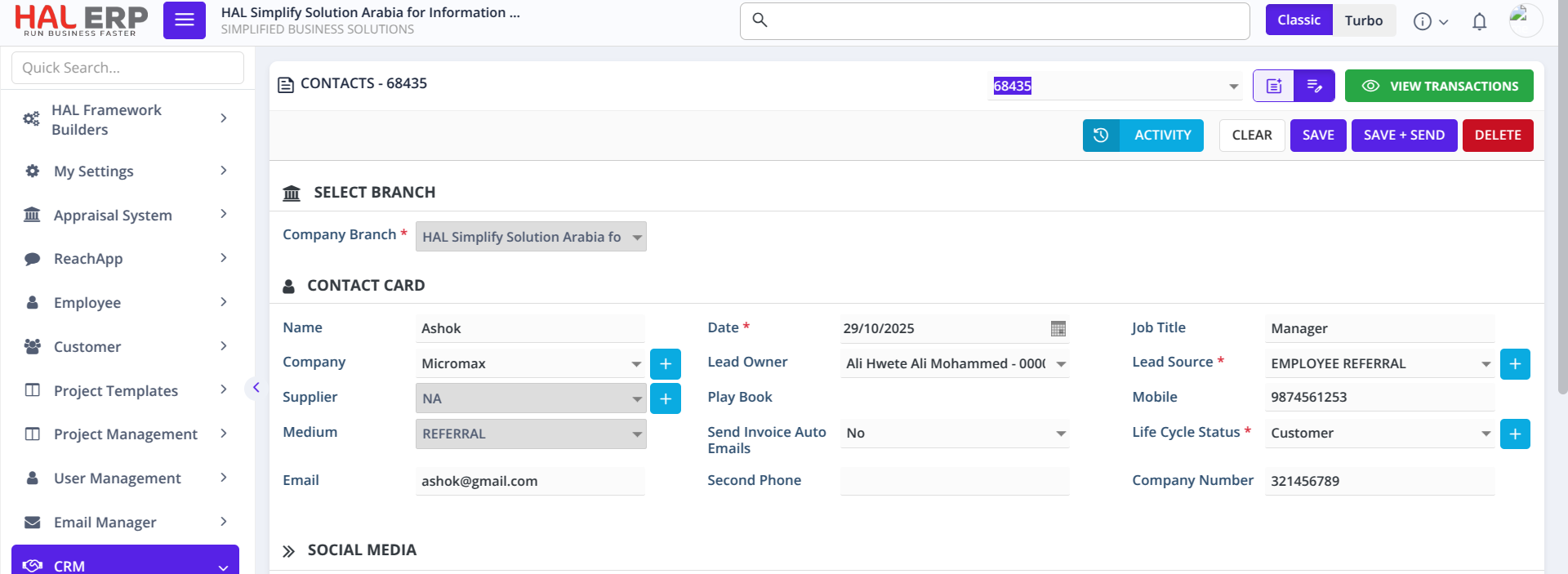
Adding New Contacts
-
Adding a new contact in CRM
When a new CRM Contact is created under a company that is linked to a Customer, it will automatically be added to the Customer Contacts table. -
Adding a new contact in Customer module
Adding a new contact directly in the Customer Contacts table will not create a new CRM Contact. It only stays within the Customer module.