🚀 What’s New: Automated Landed Cost from Purchase Invoice
💡 New Feature Available
HAL ERP now supports Automated Landed Cost Creation directly from Purchase Invoice (PINV).
This enhancement eliminates manual Landed Cost entry and allows freight, customs duty, shipping, insurance, and other additional charges to be automatically allocated to inventory items upon invoice approval.
⚙️ New Configuration
🔹 purchase_invoice_has_landed_cost
-
When this configuration is enabled, new landed cost columns will appear in the Purchase Invoice screen.
-
When disabled, the screen works as normal.
-
Controls activation of Automated LDC from PINV.
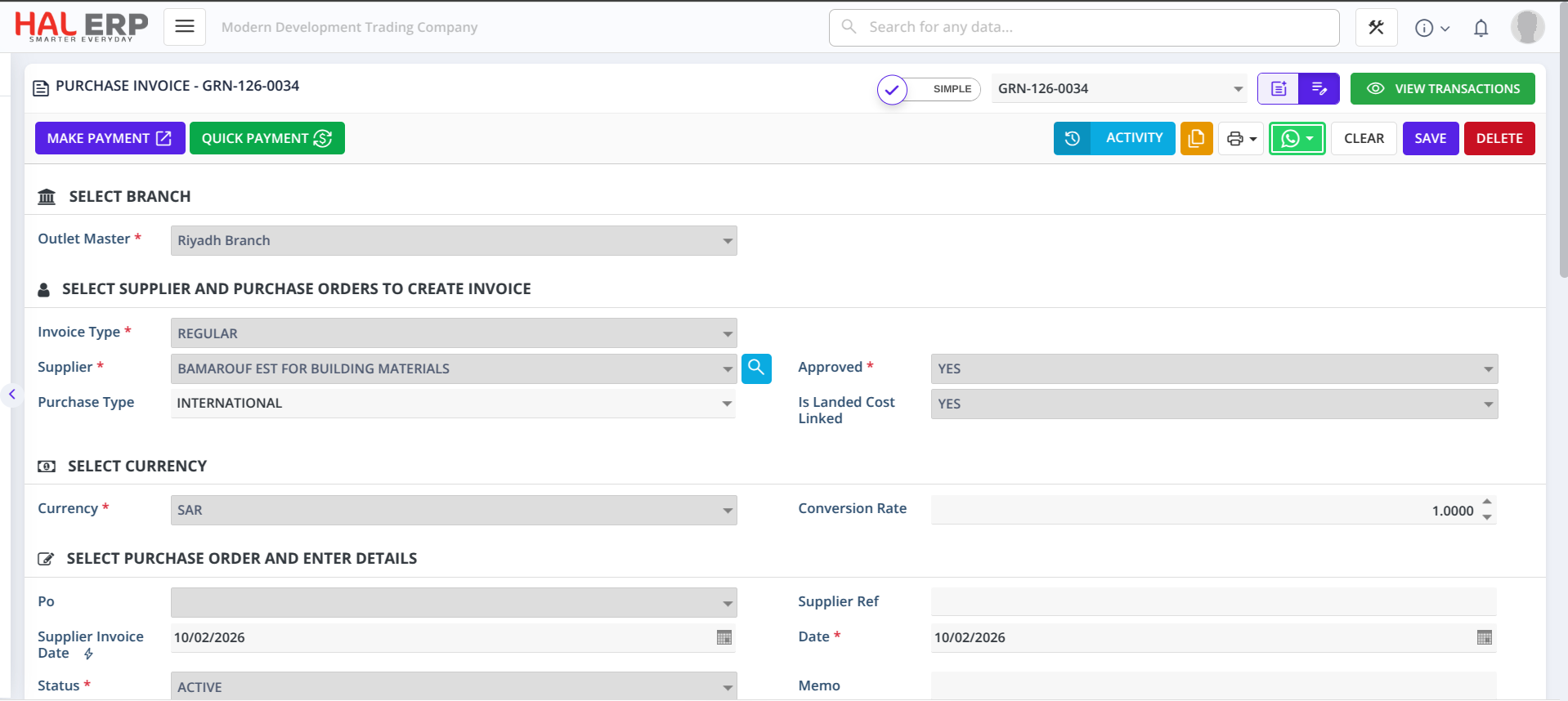
1️⃣ Purchase Type
-
Defines the type of purchase related to landed cost processing.
-
Helps categorize and control how the invoice behaves in the costing process.
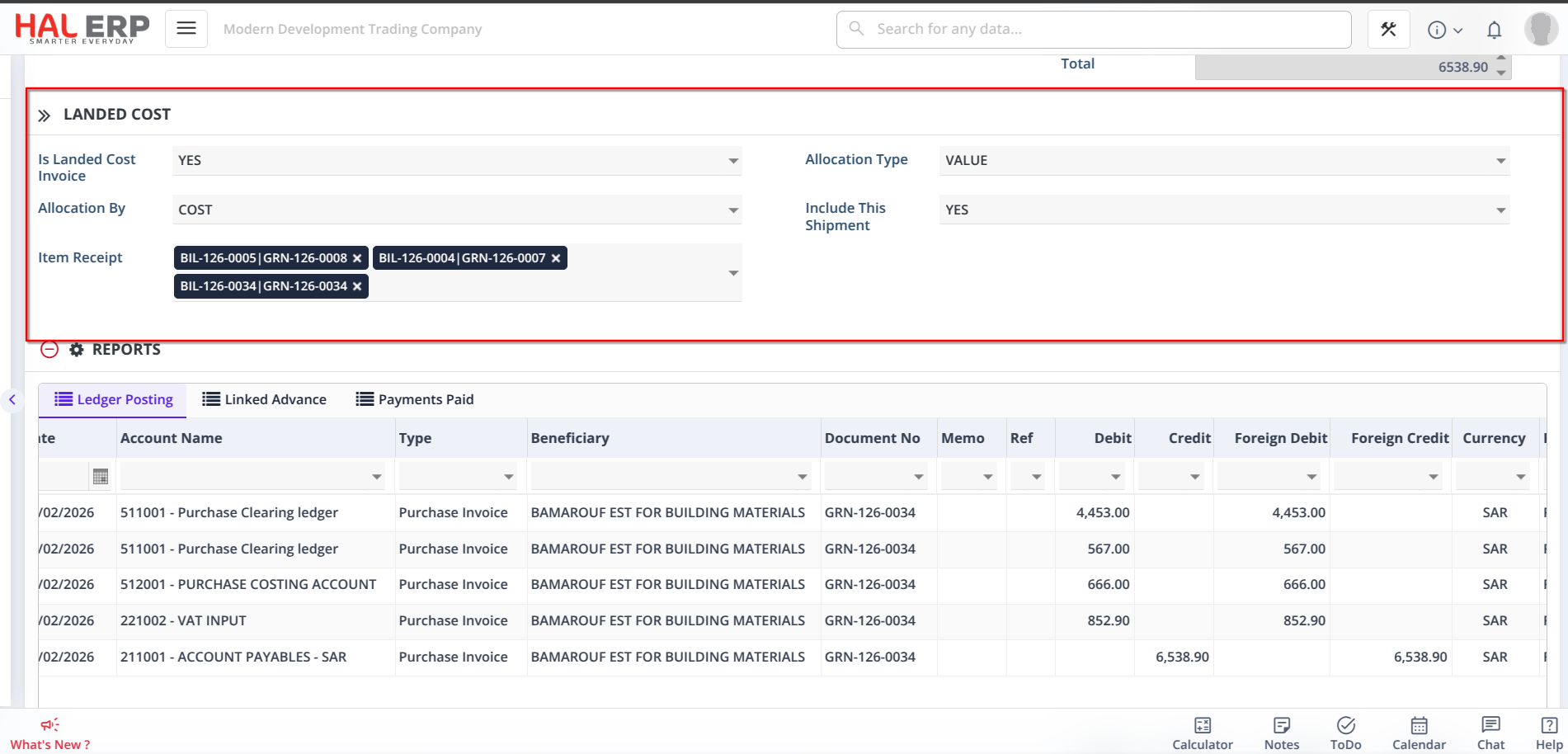
2️⃣ Is Landed Cost Invoice
-
Used to identify whether the purchase invoice contains landed cost charges (like freight, customs, handling, etc.).
-
When set to Yes, additional landed cost fields become visible.
-
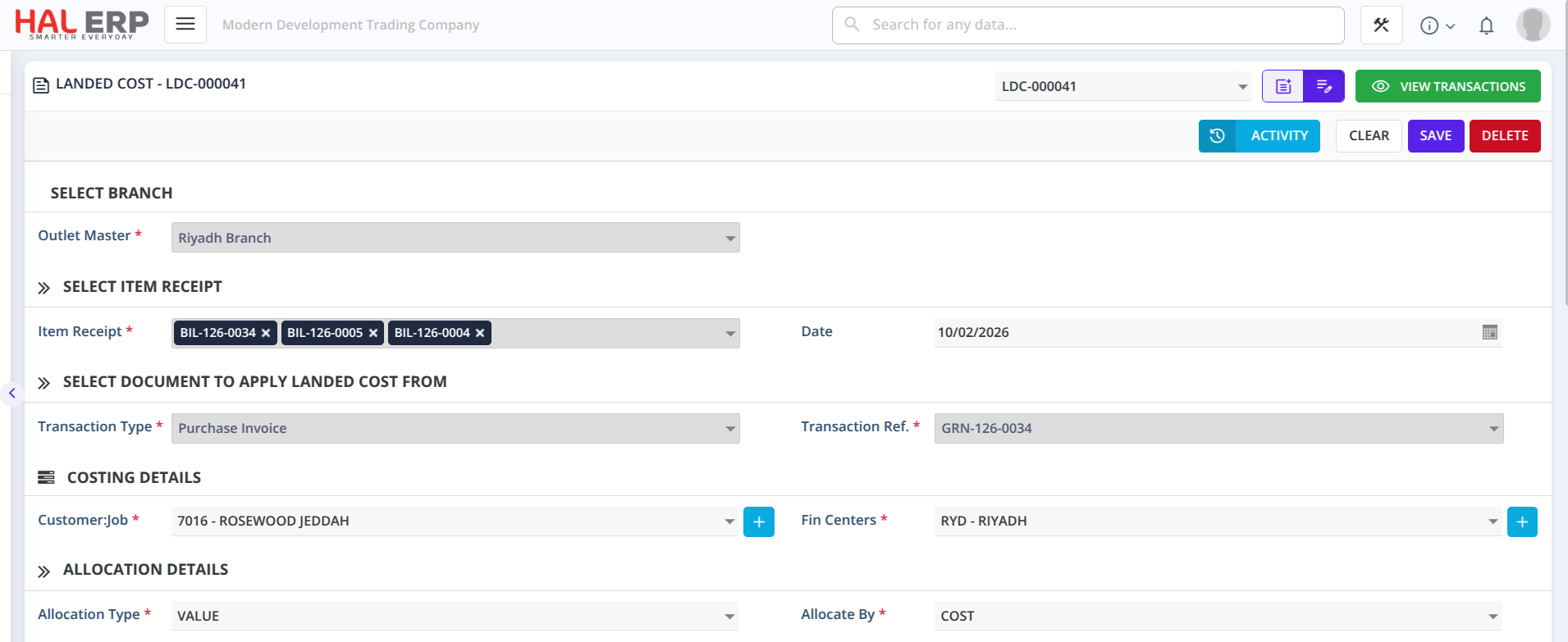
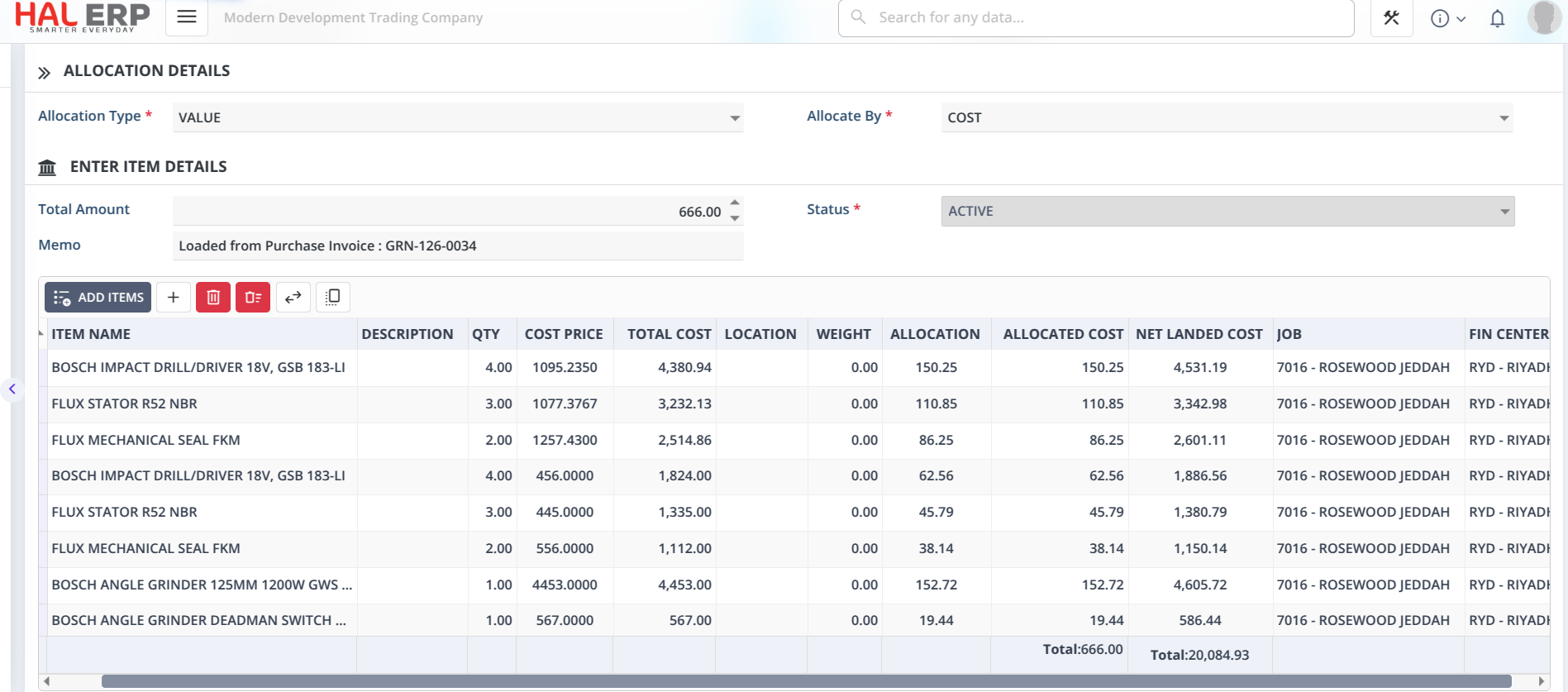
On approval, the system automatically creates the Landed Cost Distribution (LDC).
3️⃣ Allocate By
Defines how the additional charges will be distributed to items.
Allocation can be done based on:
-
Quantity
-
Cost
This ensures fair and logical cost distribution.
4️⃣ Allocation Type
Defines how the allocation value is applied:
-
By Percentage
-
By Value
Gives flexibility in cost distribution method.
5️⃣ Include Shipment
Used when the same invoice contains both:
-
Inventory items
-
Additional charges (freight, duty, etc.)
If YES, the system includes those shipment items for landed cost allocation automatically.
6️⃣ Is Landed Cost Linked
-
System-controlled field.
-
Automatically marked once the landed cost is created and linked.
Prevents duplicate landed cost creation and ensures proper tracking.
7️⃣ Item Receipt Column
-
Allows you to select one or more Item Receipts to which the landed cost charges should be applied.
-
These item receipts represent the goods for which freight, customs, duty, or other charges are incurred.
-
Users must select the relevant Item Receipt(s) to allocate landed cost charges.
-
On approval, the system automatically links the selected receipts and processes landed cost allocation to ensure accurate inventory valuation. 🚀
🎯 Requirement Addressed
When importing goods, businesses incur additional expenses such as:
-
Freight charges
-
Customs duty
-
Clearance fees
-
Insurance
These costs must be added to inventory value to calculate the true item cost.
Previously, landed cost had to be processed separately.
Now, it can be handled directly from the Purchase Invoice screen.
✅ Automated Landed Cost Creation from PINV
-
When PINV is marked as Landed Cost Invoice,
-
The system automatically creates the Landed Cost Distribution (LDC) upon approval.
-
No separate manual LDC entry required.
🌍 Multi-Currency Support (Auto LDC)
Now, with automatic Landed Cost creation from Purchase Invoice:
-
If the Purchase Invoice is in a foreign currency,
-
The system automatically converts the amount to base currency using the invoice exchange rate,
-
And creates the Landed Cost Distribution (LDC) entry automatically in base currency.
This ensures consistent inventory valuation and accurate costing, even for foreign purchases. 🚀
✅ Key Benefits
✔ Accurate inventory costing
✔ True landed cost reflected in stock value
✔ Proper COGS calculation
✔ Flexible allocation methods
✔ Reduced manual work
✔ Prevents duplicate landed cost processing
✔ Better financial reporting accuracy
This enhancement transforms Landed Cost processing from a manual step into a fully automated workflow directly from Purchase Invoice. 🚀