Time Request Management: Missed Punch Correction
We've enhanced the Time Request Management module to simplify correcting missed punch entries and reduce dependency on HR for attendance updates.
✨ Module Renaming
To better represent the functionality:
- Late Request Management → Time Request Management
- My Late Requests → My Time Requests
This reflects that the module now supports broader time-related requests, including missed punch corrections.
✨ New Enhancement – Missed Punch Request
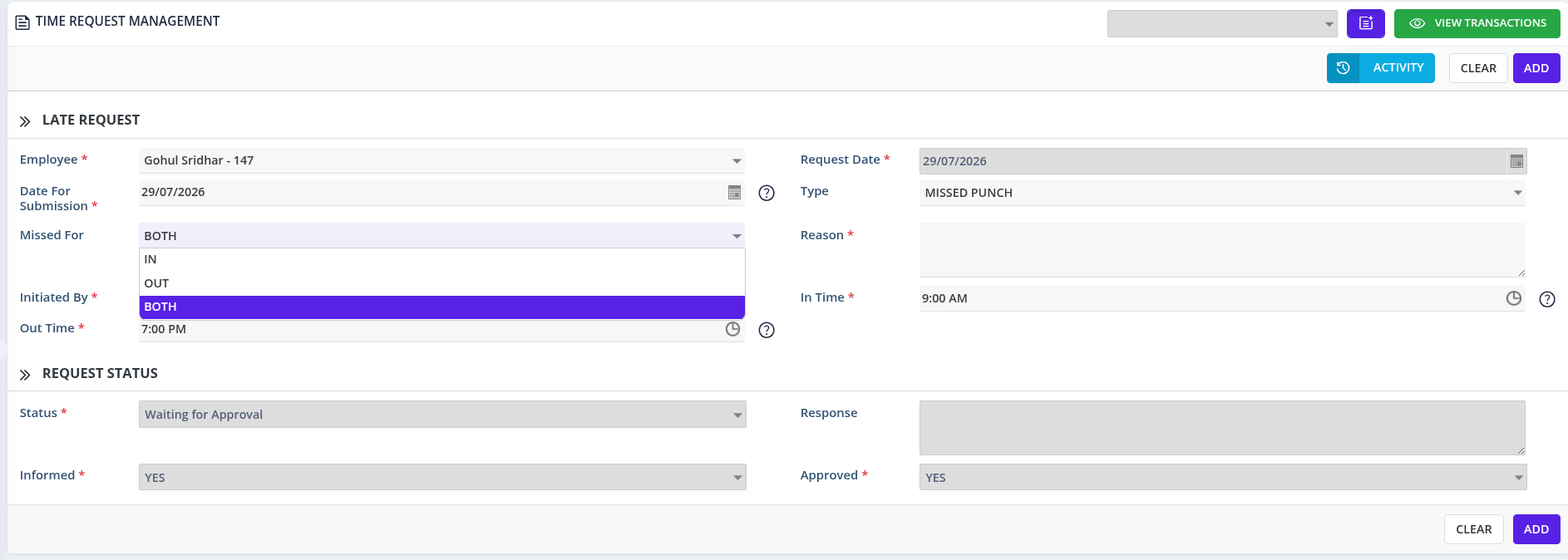
When creating a Time Request with Type = Missed Punch, a new Missed For field enables the following options:
IN
- Submit a request for a missed check-in
- Only the In Time field is enabled
- The Out Time field is disabled
OUT
- Submit a request for a missed check-out
- Only the Out Time field is enabled
- The In Time field is disabled
BOTH
- Submit a request for both missed check-in and check-out
- Both In Time and Out Time fields are enabled
Employees must provide a valid Reason before submitting.
✅ Approval Process
Once approved, punch timings are automatically reflected in the employee's attendance without manual HR intervention.
🎯 Benefits
- Supports Missed Punch requests for IN, OUT, or BOTH
- Automatically updates attendance after approval
- Reduces dependency on HR for manual corrections
- Minimizes attendance discrepancies before payroll processing
- Improves payroll accuracy through approval workflow
- Saves time for employees and HR
1. Time Request Form
- The Missed For field provides three options: IN, OUT, BOTH
- The system dynamically enables relevant time fields based on selection
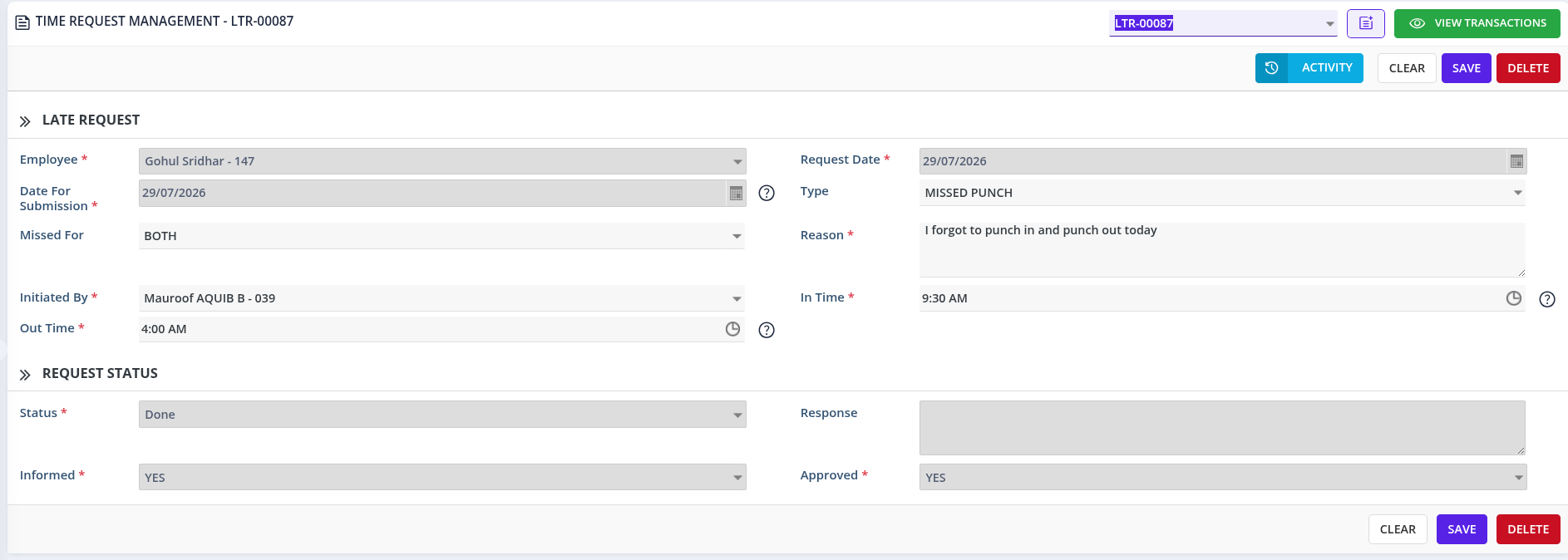
2. Approved Time Request
- Displays submitted details, approval status, and updated attendance information for complete traceability
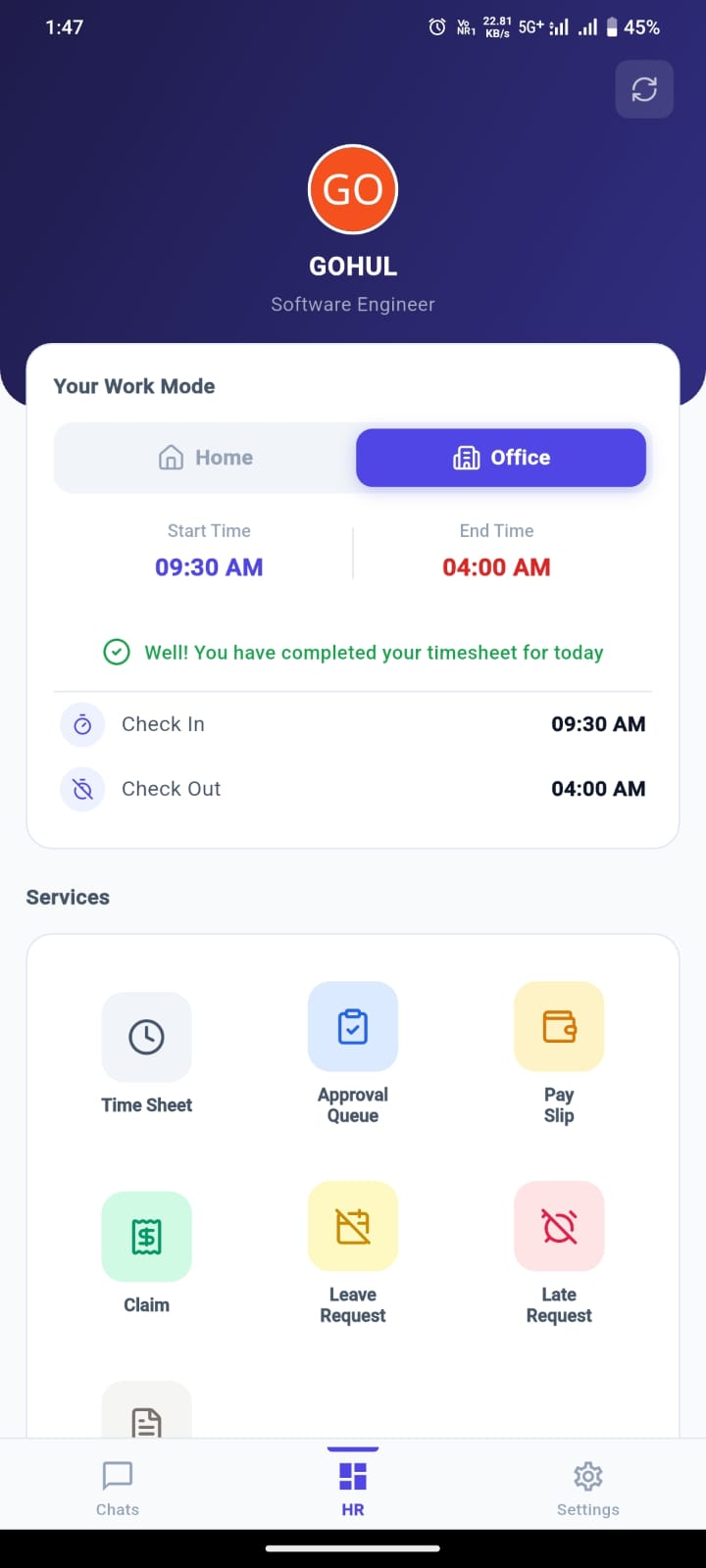
3. Employee Mobile App
- After approval, updated Check-In and/or Check-Out times automatically appear in the employee's attendance