🚀 Smarter Approval Routing with Department Head Automation!
We’re excited to introduce a powerful enhancement to the Action Workflow — automatic approval routing to the employee’s Department Head!
🔹 What’s New?
✅ New User Type: Employee Department Head
You can now select “Employee Department Head” in the Action to Trigger section while configuring workflows to automatically send approval requests to the selected employee’s assigned Department Head.
✅ Dynamic Approval Routing
When a transaction is created for an employee:
-
The system identifies the employee’s department.
-
Retrieves the assigned Department Head.
-
Automatically sends the approval request to the correct Department Head.
No manual selection required!
🛠 How to Assign a Department Head
-
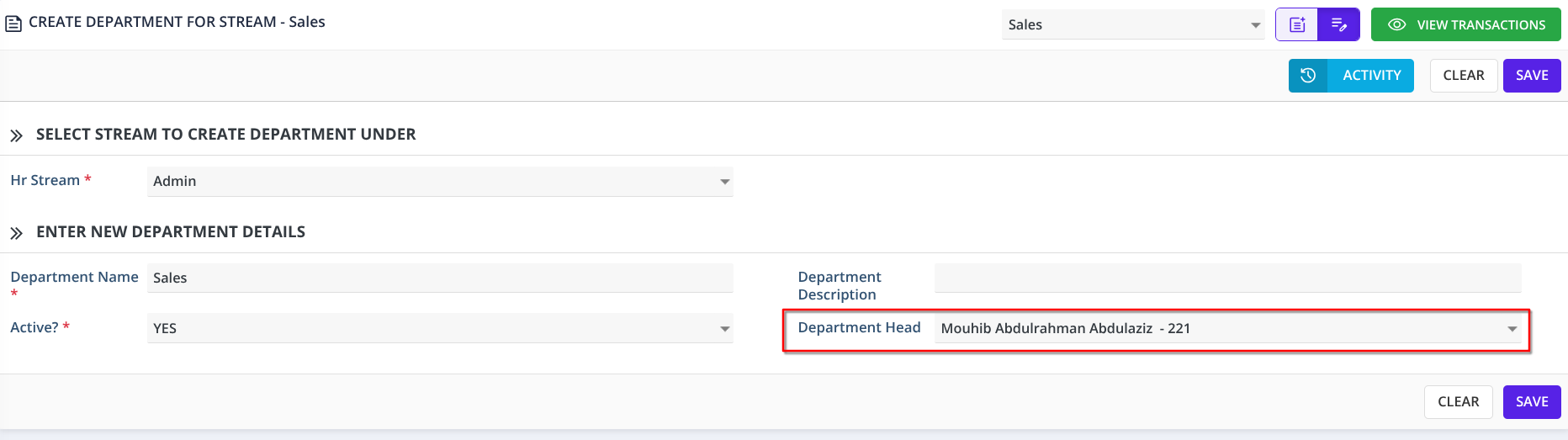
Go to HR → Departments → Create / Edit Department
-
Select the relevant HR Stream
-
Enter or edit the Department Name
-
In the Department Head dropdown, select the employee to assign
-
Click Save
✔ The selected employee is now the official Department Head
✔ Workflow approvals will automatically route to them
⚙ How to Configure the Workflow
-
Go to Setup Workflow
-
Open or create the required workflow
-
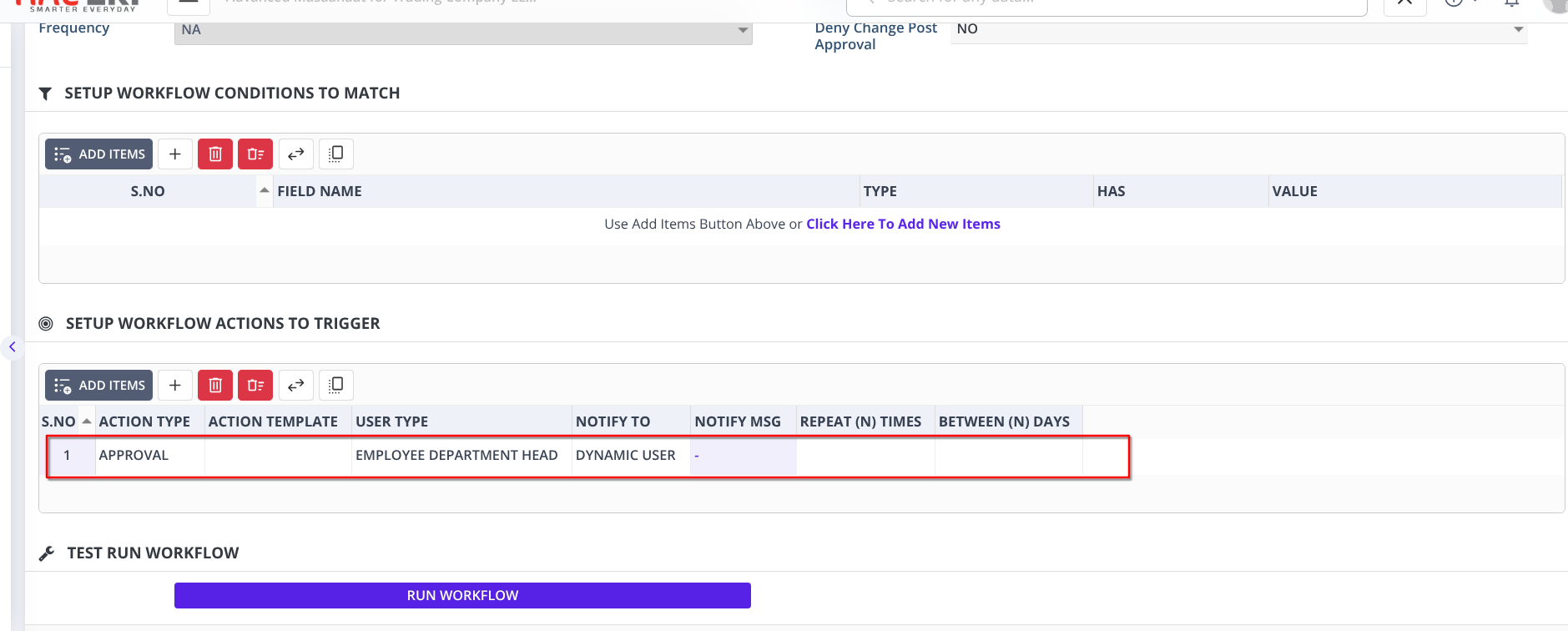
In Setup Workflow Actions to Trigger
-
Click Add Items
-
Set:
-
Action Type: Approval
-
User Type: Employee Department Head
-
-
Save the workflow
💡 Benefits
✔ Fully automated approval routing
✔ Eliminates manual approver selection
✔ Ensures accurate department-based approvals
✔ Improves overall process efficiency
This enhancement makes your approval process smarter, faster, and more reliable.