Recover Your Email Using Just Your Username
Forgot which email you used to sign in?
No worries — we’ve made it easier than ever!
🔥 Why this matters
Many users get stuck during password reset because they can’t remember their registered email.
This new feature helps you recover your email instantly — no support tickets, no delays.
⚙️ How it works
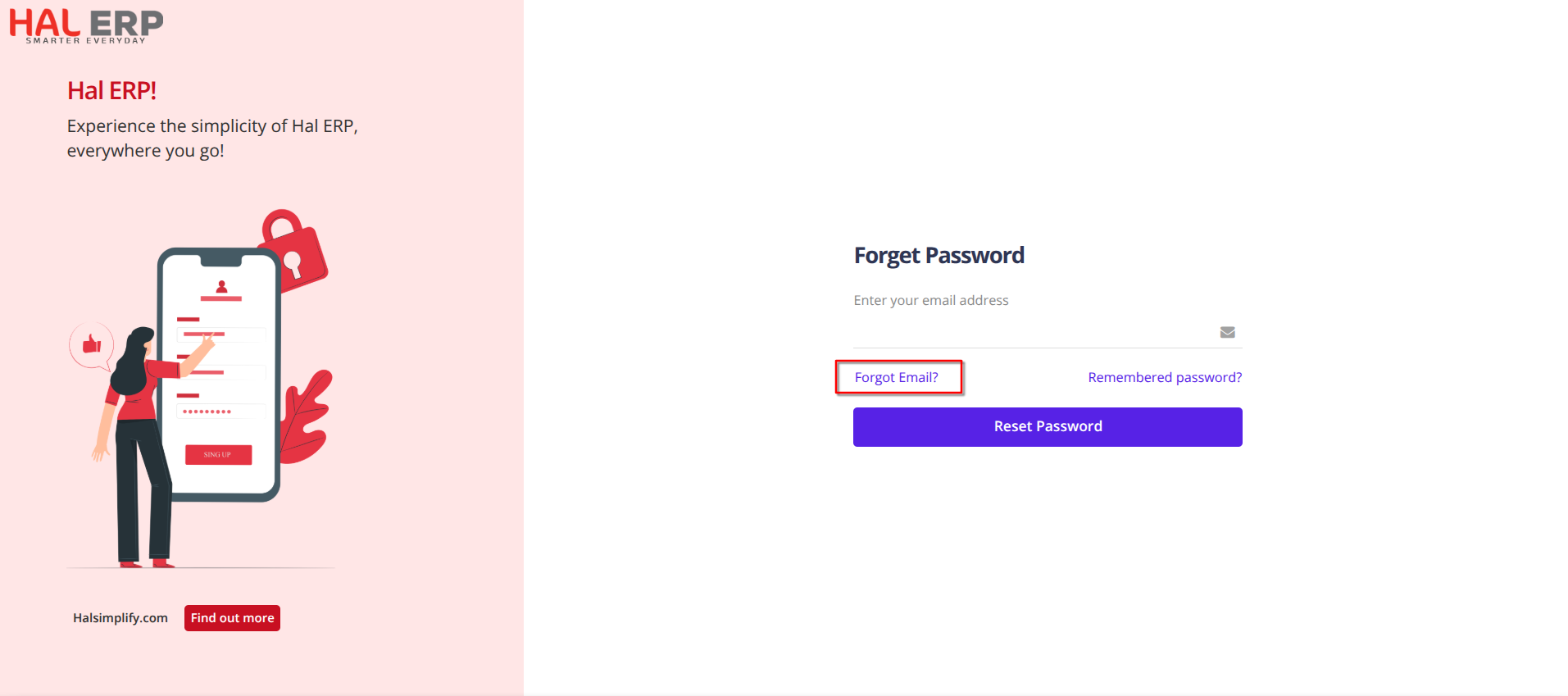
- On the Forgot Password screen, users will now see a “Forgot Email?” link.
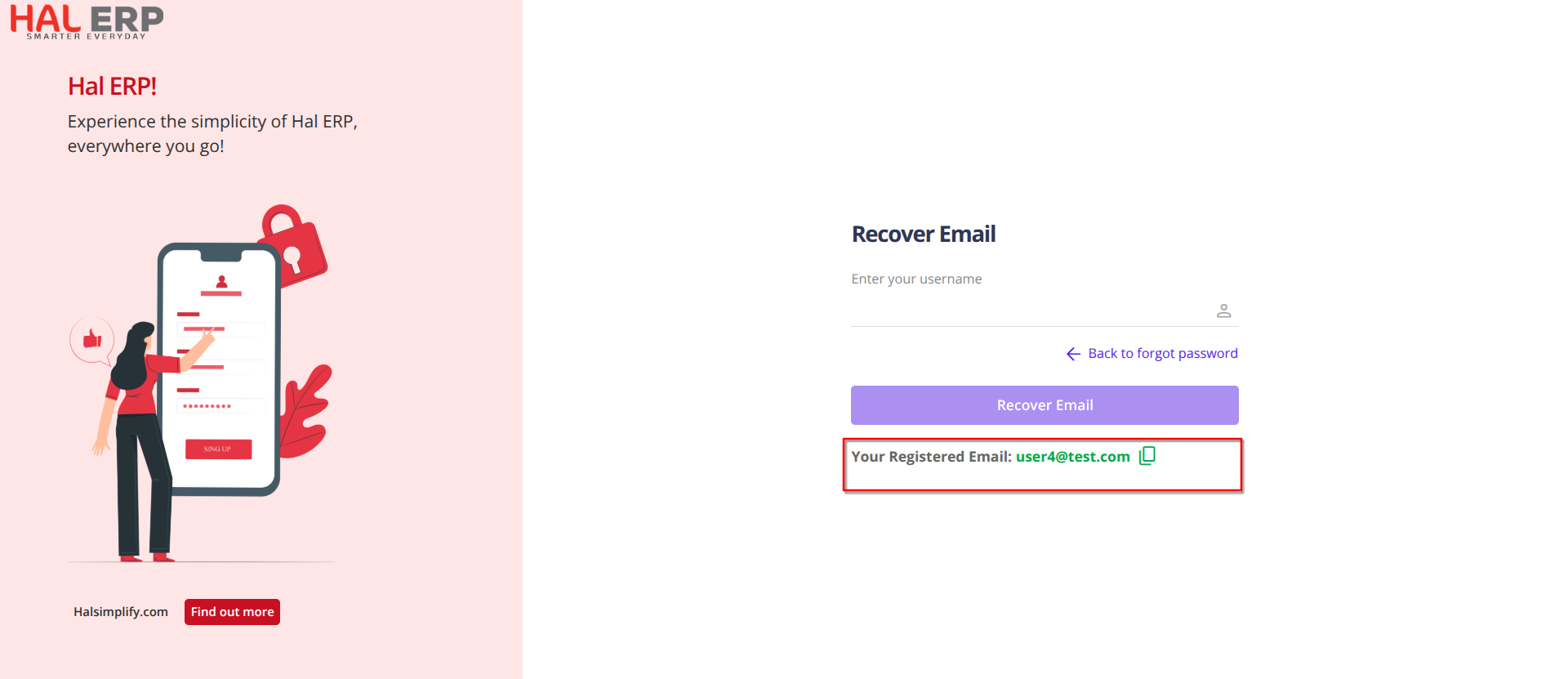
- Clicking this opens the Recover Email page.
- The user enters their username.
- If the username is valid and the account is active, the system displays the registered email address.
- If the username doesn’t exist, a clear error message is shown:
“The username you entered doesn’t exist in our records. Please contact support for assistance.” - If the username exists but the account is inactive, the system displays the following message:
“Your account is inactive. Please contact support for assistance.” - The user can tap the Copy icon to instantly copy the email to their clipboard.
- After retrieving the email, the user can return to the previous screen and proceed with Reset Password.
🎉 Benefit to You
✔️ Faster login recovery
✔️ Zero dependency on support
✔️ Smooth, frustration-free experience