Introducing One-Click Password Reset in User Management!
Say hello to streamlined user credential management — a new feature that gives admins a fast and simple way to reset a user’s password and notify them instantly, all from a single button on the User Management page.
With this release, administrators also gain enhanced security controls, including a Logout Existing Sessions toggle to immediately remove active logins, and full activity tracking to record every password reset action. Plus, the built-in email option makes it easy to share the new login details with the user right away.
What’s New:
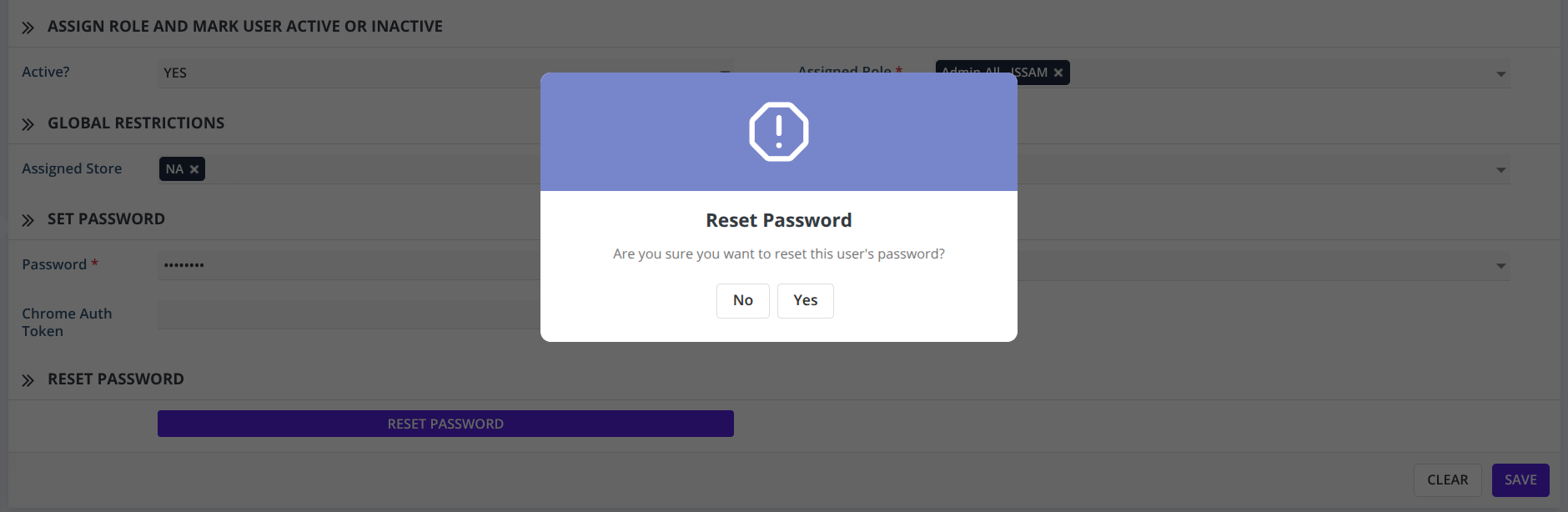
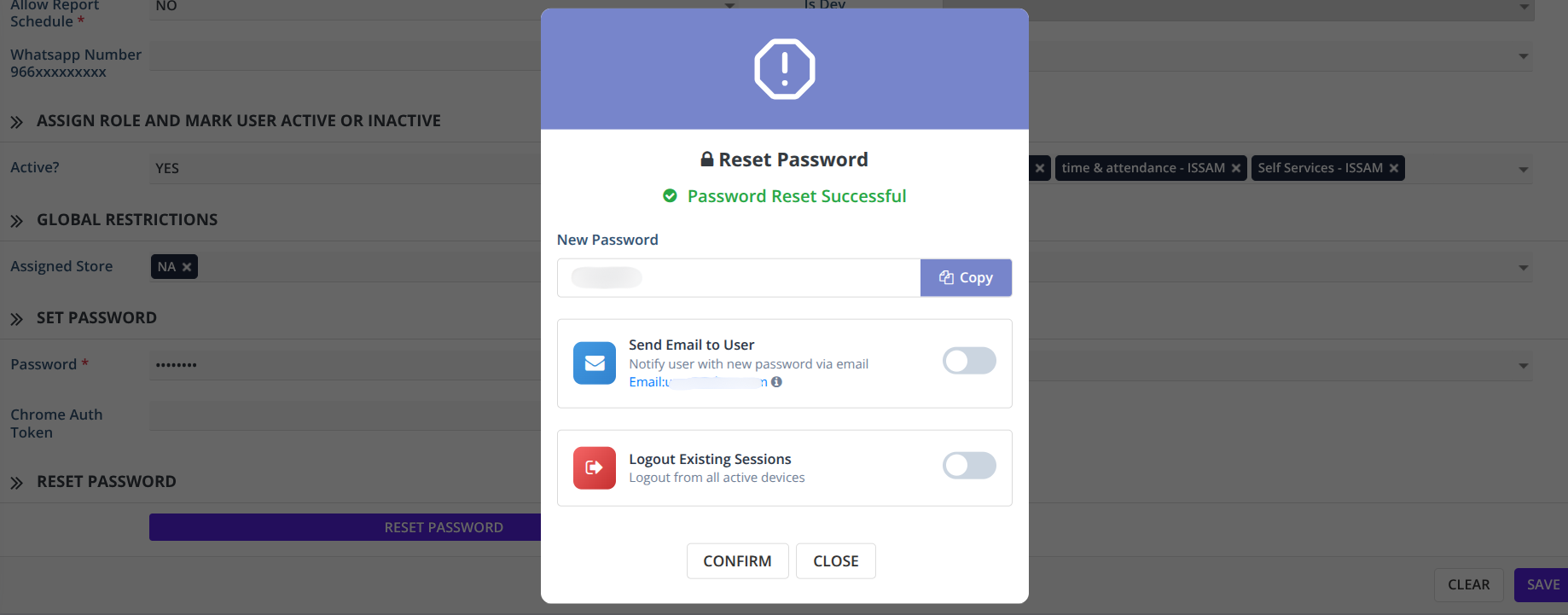
In the User Management page, you will now see a Reset Password button. When you click it, a confirmation popup appears. If you choose Yes, the system will reset the user’s password and immediately display a success popup with:
-
Password Reset Successful status
-
The newly generated password with a convenient Copy button
-
Send Email to User toggle — instantly notify the user with their new password
-
Logout Existing Sessions toggle — force logout from all active devices for added security
-
Confirm and Close action buttons
Before sending the email, the popup also displays the email ID where the notification will be sent.
A useful hover tip lets admins quickly navigate back to User Management to update the email if needed.
The system also validates email formats to prevent invalid or incomplete emails from being used.
✔ Smart Behavior Based on User Type
-
Parents → Password resets to the Parent’s IQAMA number (hashed)
- If IQAMA is missing, or empty, the system will show an exception for security reasons.
-
Regular users (customers, suppliers, employees, general users) → A secure random password is generated automatically.
✔ Email Notification Built-In
Enable the “Send Email to User” option to automatically notify the user with:
-
Their new login password
-
Login instructions
-
The email associated with their account
No extra steps needed.
✔ Auto-Logout for Maximum Security
When the admin enables Logout Existing Sessions, the system will:
-
Immediately terminate all active sessions for that user
-
Ensure that only the new password can be used going forward
✔ End-to-End Activity Logging
Every password reset action captures:
-
Who triggered it
-
When it happened
This ensures complete traceability.
✔ Cleaner Self-Profile Editing
When users edit their own profile, the Reset Password option is hidden to prevent confusion and to maintain secure password workflows.
Why This Matters
This upgrade delivers:
-
Better security
-
Greater admin control
-
Faster operations
-
Clearer communication
-
Minimal manual work
💬 Need Help?
If you need any assistance, our support team is here to help — feel free to reach out anytime.