📥 Feature Update: Sample Sheet Download for Biometric Import
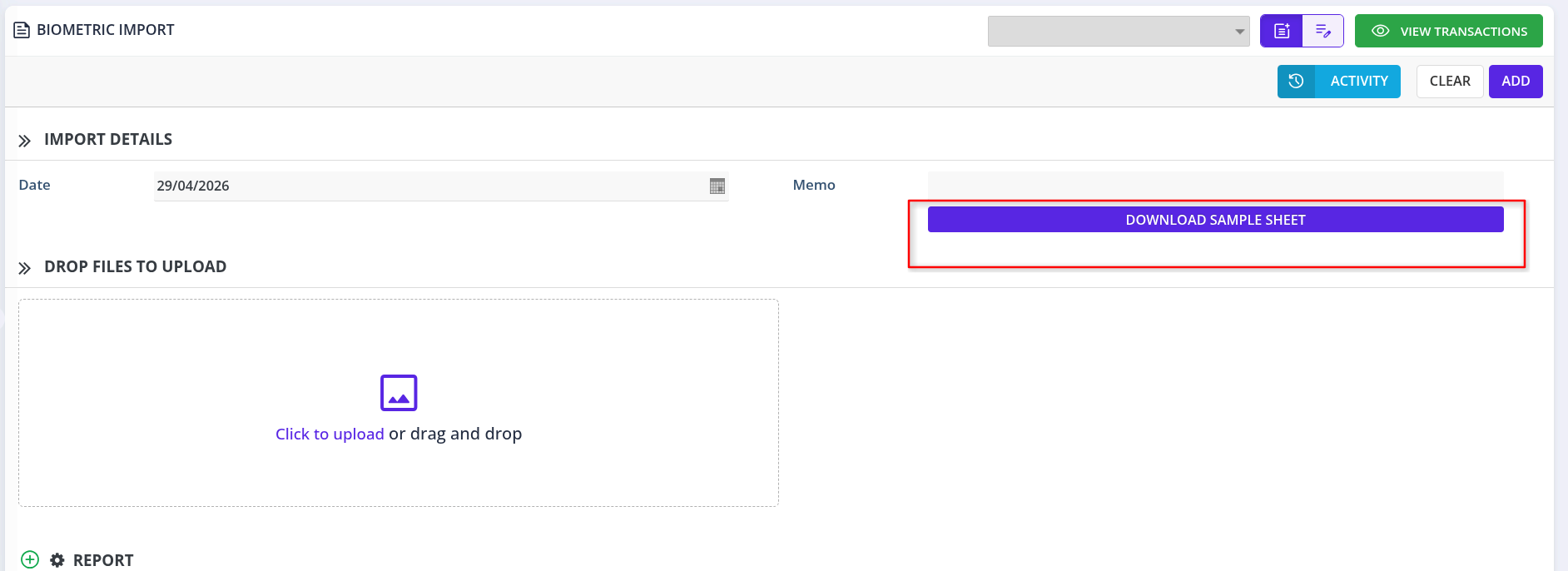
We're making biometric data uploads simpler and more accurate. A new "Download Sample Sheet" button has been added to the Biometric Import form.
No more guessing the correct file format — just download, fill, and upload.
✨ What's New?
1️⃣ New Button in Biometric Import Form
Located below the Memo field, you'll now find:
"DOWNLOAD SAMPLE SHEET"
2️⃣ One-Click Sample CSV File
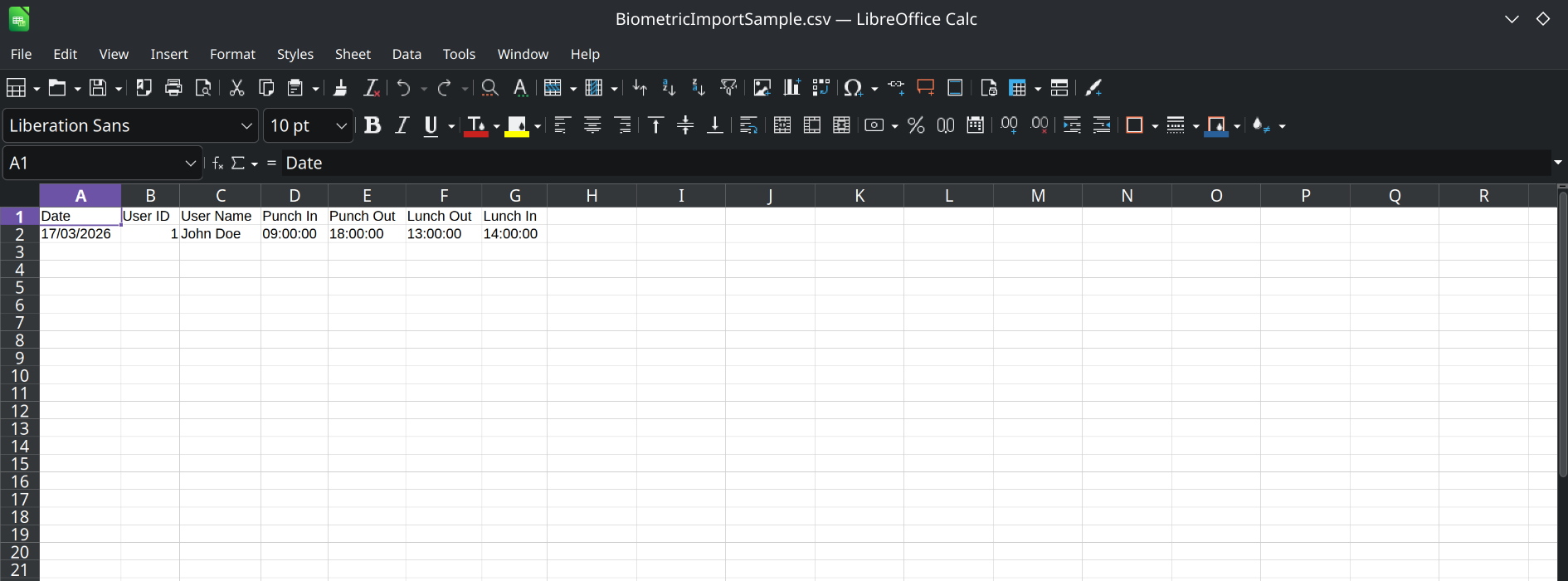
Clicking the button instantly downloads a ready-to-use sample sheet (CSV format) that shows:
-
Correct column headers
-
Expected data format
-
Example rows
3️⃣ Easy Template-Based Upload
Once you've filled the sample sheet with your actual biometric data, simply drag & drop or click to upload — the system will recognize the format automatically.
🧪 Example Workflow
- Go to Biometric Import screen
- Click "DOWNLOAD SAMPLE SHEET"
- Open the downloaded CSV file
- Replace example rows with actual employee biometric data
- Save the file
- Drag & drop or click to upload
- Complete the import
📌 Why This Matters
Before ❌
- Guessing column headers
- Frequent upload errors
- Wasted time fixing formats
- Inconsistent data across uploads
After ✅
- Exact format provided
- Error-free imports
- Ready in seconds
- Standardized template
🛠 What You Can Do With This
-
✅ Import employee check‑in/check‑out times in bulk
-
✅ Ensure all required fields are included
-
✅ Reduce manual data entry errors
-
✅ Train new team members faster
Try it out and simplify your biometric data import! 🚀