Employee Financial Center Allocation: Every Payroll Rupee in the Right Place
Introducing Employee Financial Center Allocation, a new feature that lets you distribute an employee’s payroll cost across multiple Financial Centers by percentage, so your ledger postings reflect where each person’s cost actually belongs.
When an employee works across departments, projects, or branches, charging their full salary to a single financial center skews your cost reporting. With this feature, you define the split once on the Employee Master, and payroll does the rest.
Key Features:
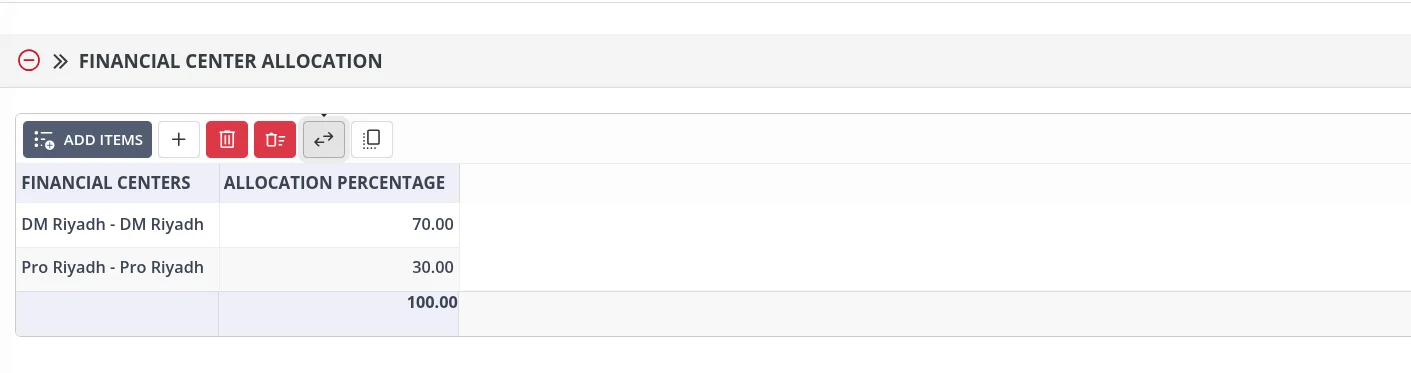
- Simple allocation grid: Add rows on the Employee Master with a Financial Center and an Allocation Percentage.
- 100% validation: The Employee Master saves only when allocations total exactly 100.00%. Anything less or more is rejected with a clear validation message.
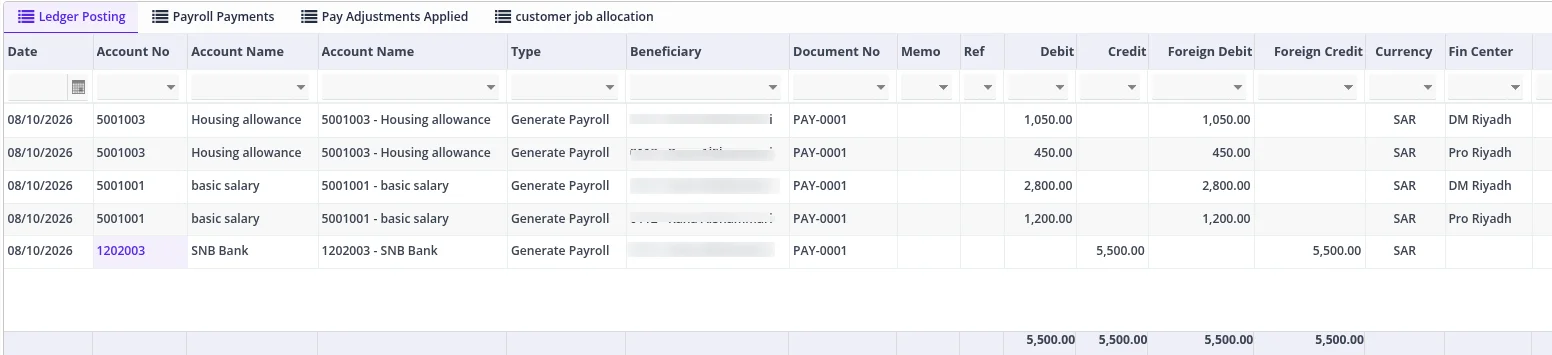
- Automatic payroll splitting: Every payroll component is divided across the selected financial centers. For example, an employee allocated 70% and 30% has each component split 70/30 in the generated payroll.
- Accurate Ledger Postings: Generate Payroll produces the correct financial-center distribution directly in Ledger Postings.
- No disruption to existing setups: If an employee has no allocation rows, payroll is not blocked and continues to use the existing behavior.
Full Audit Trail:
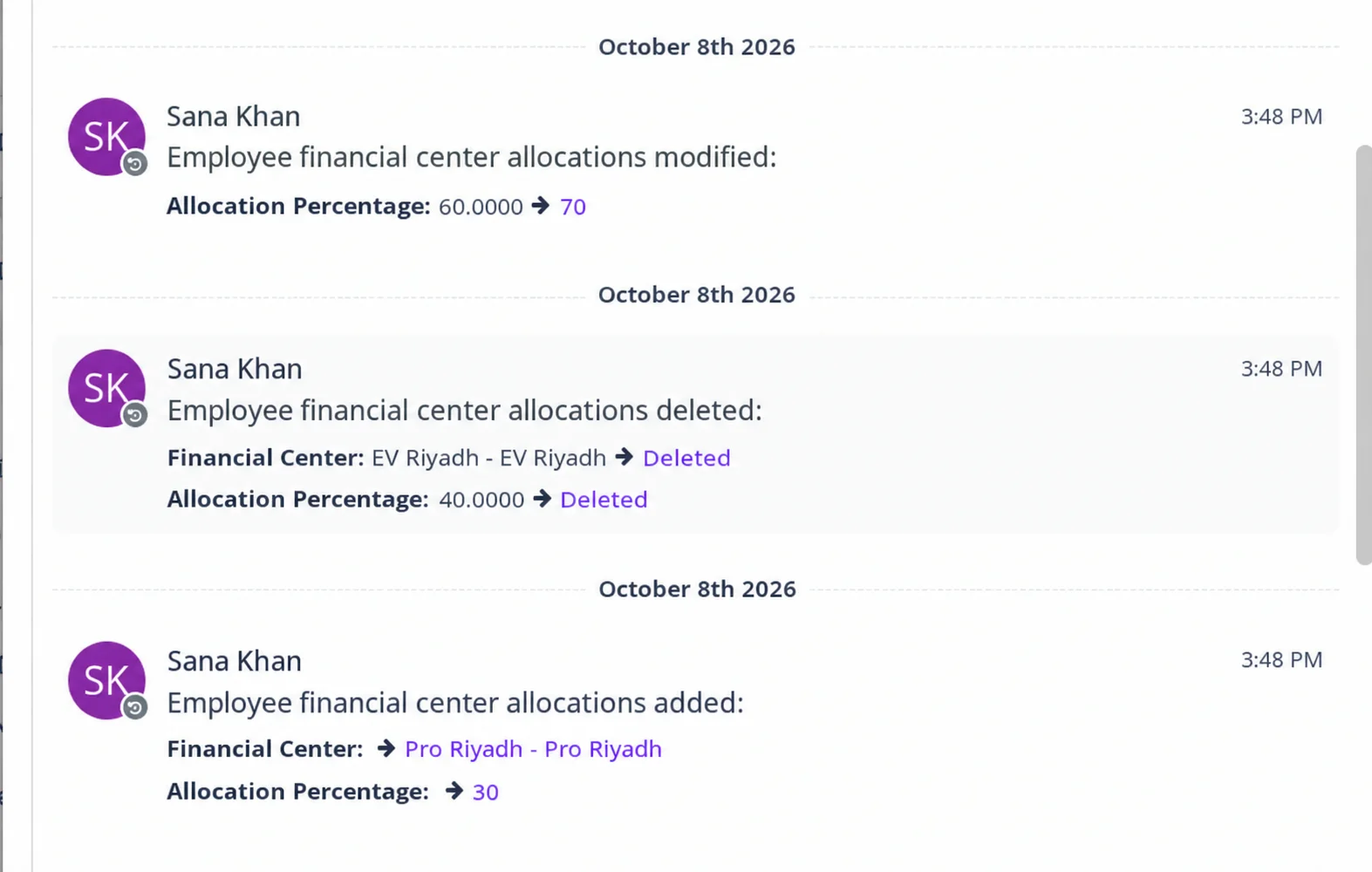
Every change to an allocation is captured in the Activity Log, so you always know who changed what and when:
- Financial Center changes: Records the employee, field, previous value, new value, user, and timestamp
- Allocation Percentage changes: Records the old and new percentages
- Rows added or deleted: Records each row creation or deletion
Payroll Split in Ledger Postings:
When you run Generate Payroll, each component is split across the allocated financial centers automatically.
Allocation Report:
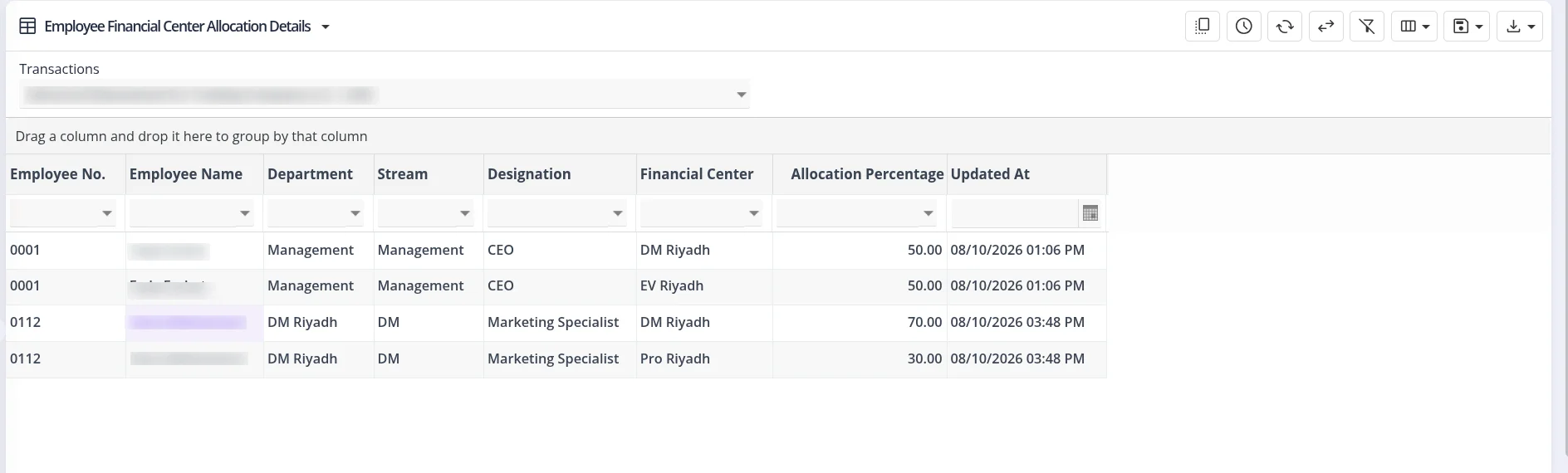
A dedicated report gives you a consolidated view of all employee allocations, showing each employee, their financial centers, and the allocation percentage for each, so you can quickly verify that every employee is allocated correctly.
Split it once, get it right every payroll. Contact our Support team to get started.