Deferred Expense Schedule — Automate Expense Recognition Over Time
Introducing Deferred Expense Schedule — a new module that lets you spread expense recognition over multiple periods automatically, ensuring accurate financial reporting and compliance.
When you receive a large invoice (e.g., annual insurance, rent, or maintenance contracts), this feature splits the expense across the correct accounting periods — so your P&L reflects only what's been consumed, not the full upfront cost.
Key Features:
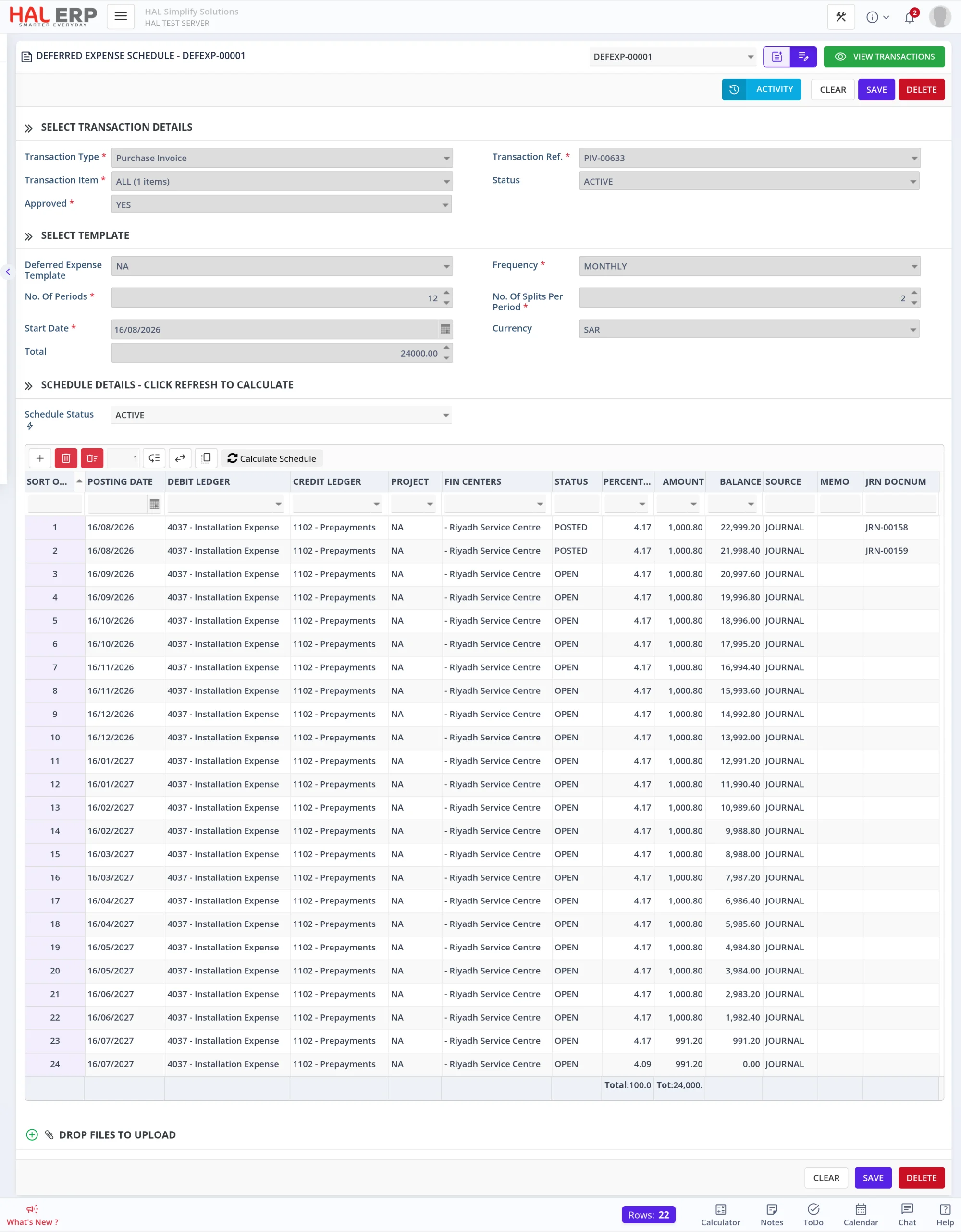
- Template-based setup — Create reusable Deferred Expense Templates with predefined debit/credit ledgers and split configurations
- Flexible frequency — Choose Monthly, Quarterly, Half-Yearly, or Yearly recognition periods
- Multiple splits per period — Distribute each period's amount across multiple Job/Projects & Cost Centers
- Automatic journal posting — Approved schedules post recognition journals automatically each day as periods fall due
One-Click Access from Purchase Invoice:
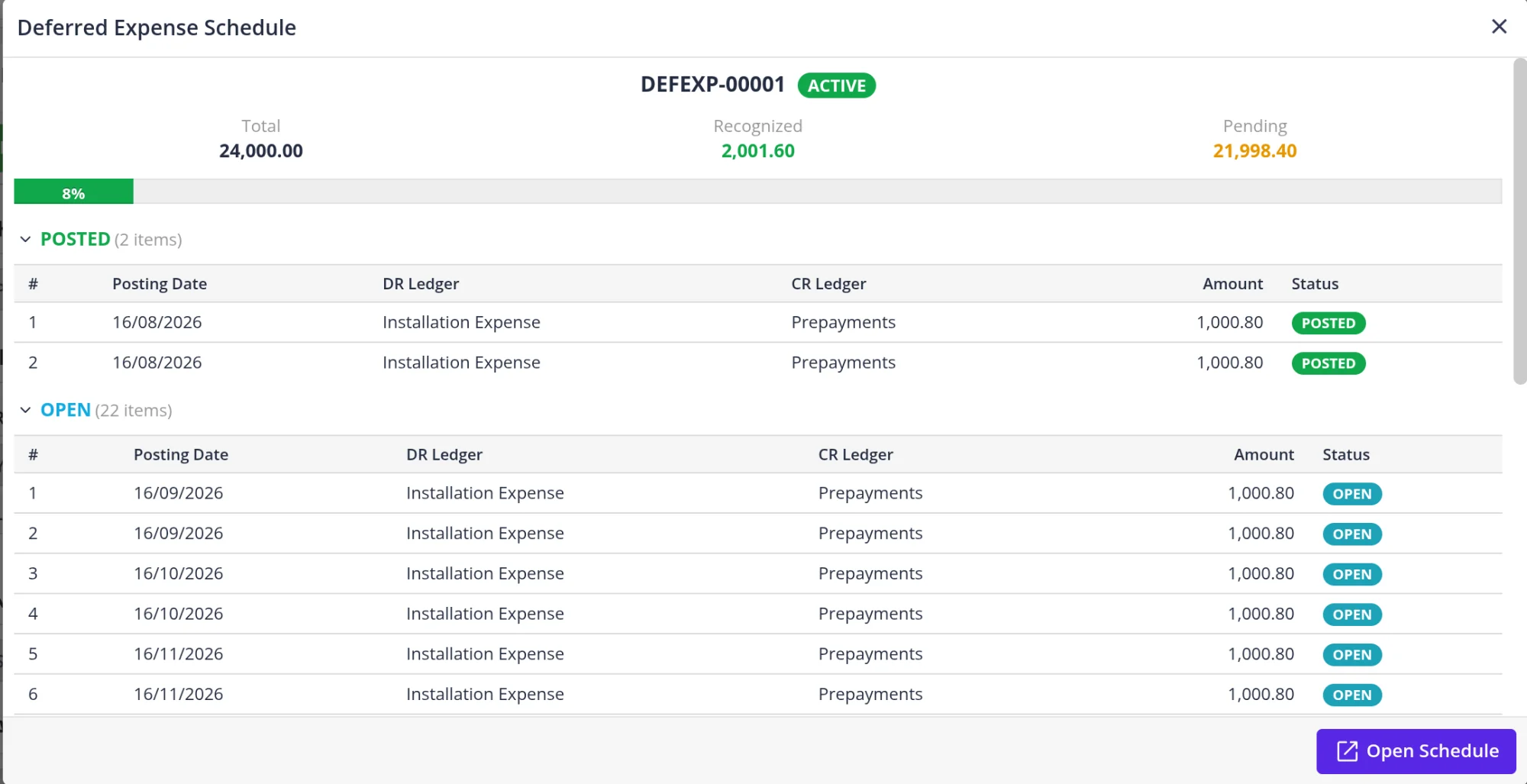
A new Deferred Expense Schedule button appears on approved Purchase Invoices. Click it to instantly see:
- Whether a schedule exists (with progress bar showing recognized vs. pending)
- Detailed breakdown of POSTED and OPEN periods
- Or a quick-create button to generate a new schedule directly
Automatic Daily Posting:
Once a schedule is approved, you don't need to do anything — the system automatically posts recognition journals each day for any periods that have fallen due. Each journal includes a clear memo trail:
AUTO CREATED FROM DEFERRED EXPENSE SCHEDULE:DEFEXP-0001 against PINV-1234
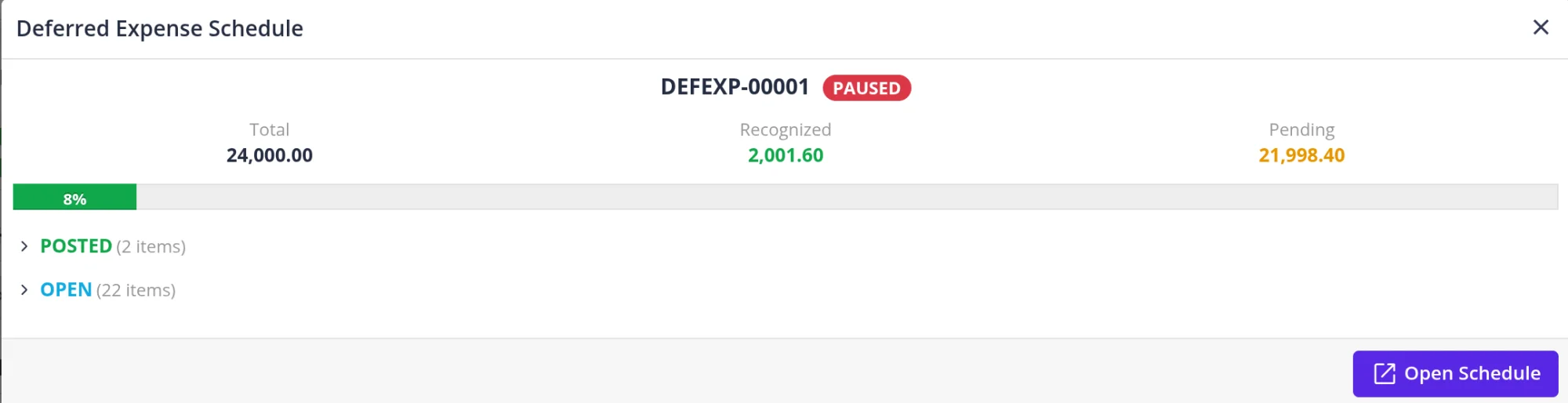
Pause & Resume:
Need to temporarily halt recognition? Use the Schedule Status field to pause. When resumed, any overdue periods will be posted automatically the next day.
Transaction Report:
A dedicated report gives a company-wide view of all deferred expense schedules with:
- Recognition progress (% recognized, amounts posted vs. pending)
- Next posting date and amount
- Frequency, number of periods, splits per period, and total months
- Filter by status, document number, supplier, or financial center

Interested? Contact your Account Manager or reach out to Support to enable Deferred Expense for your organization.